Plastic Surgeon Homepage: 11 Elements That Actually Book Consults
Most plastic surgery homepages we audit have every "right" element, and still don't convert.
The hero looks polished. The before-and-after gallery exists. The credentials are there. The CTAs are placed. And the consultation requests stay flat month after month.
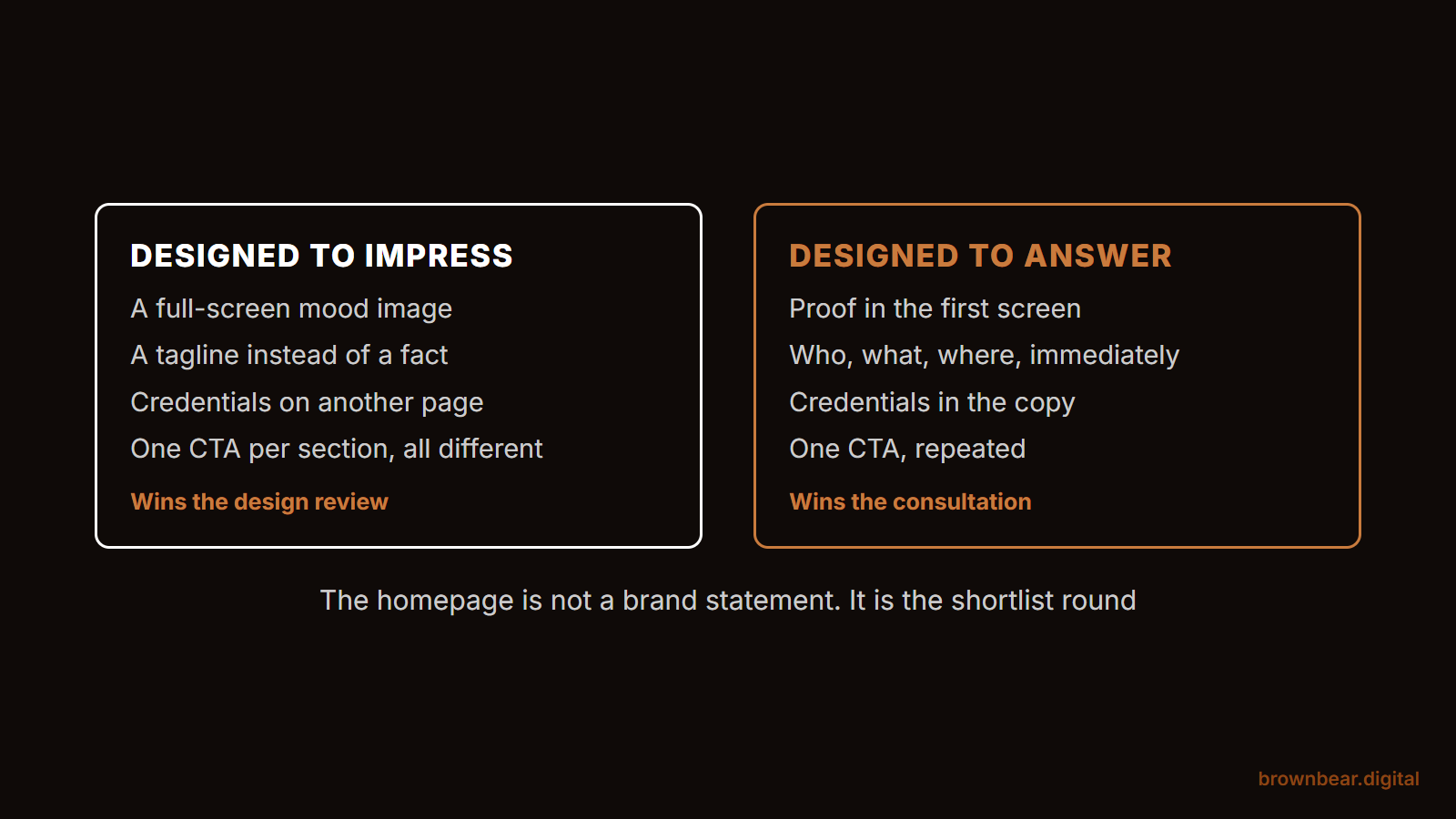
This is the gap nobody talks about: a beautiful homepage and a converting homepage are two different things. The first wins design awards. The second books surgery.
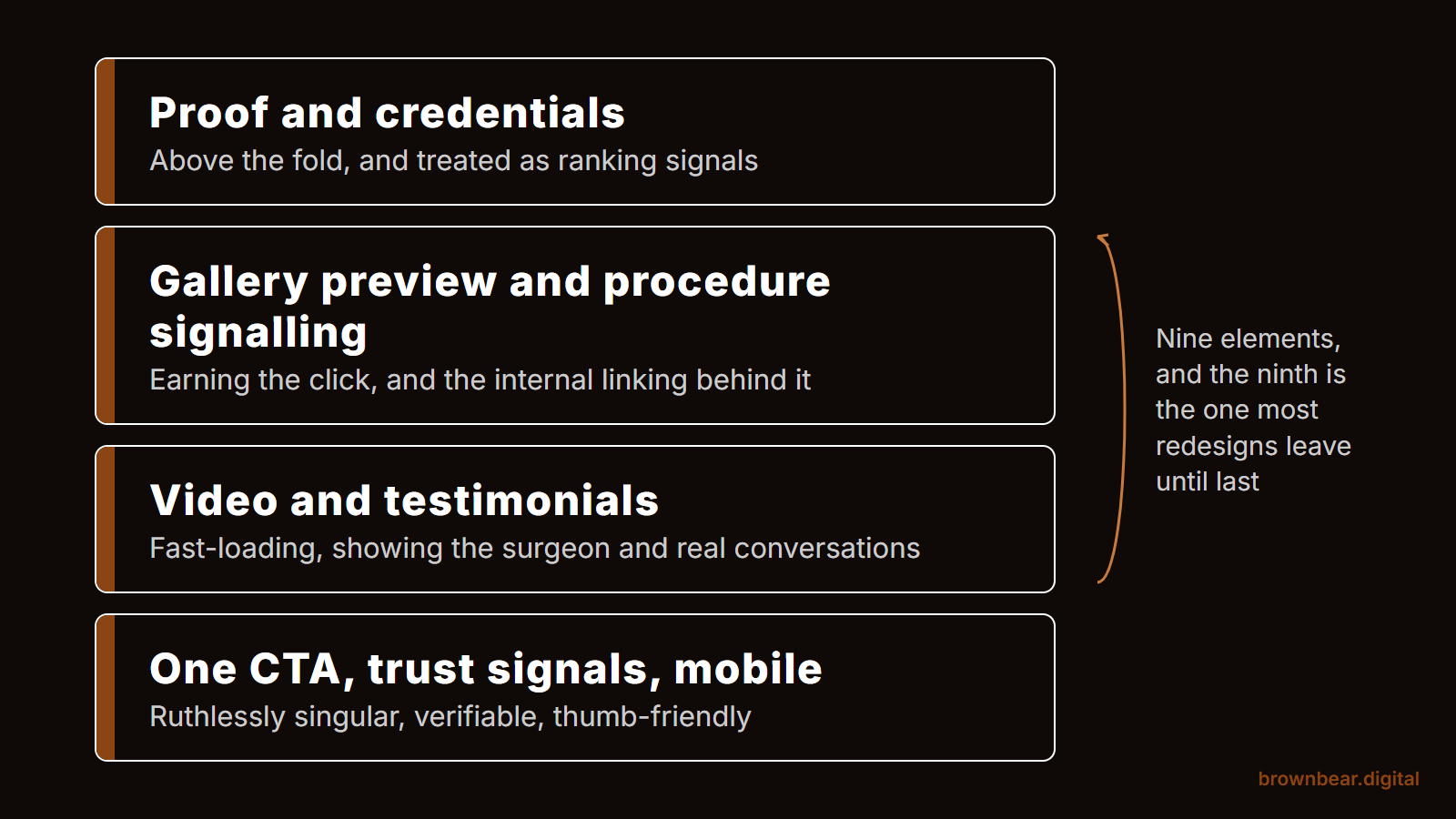
This piece is about the second one. We've ranked the eleven homepage elements that actually move the needle on consultation bookings, in the order they need to work. Aesthetics get weighted last for a reason.
Key Takeaways
A beautiful homepage and a converting homepage are different things
Most plastic surgery homepages have every right element and still stay flat, because they're built as brand statements for patients who already trust the surgeon. The homepage that books consults gives a researching patient proof, credentials, results, and one clear next step.
More than 70% of homepage traffic is mobile
Most homepages are designed for desktop and made responsive after the fact. The hard targets on a phone: LCP under 2.5 seconds, INP under 200 milliseconds, CLS under 0.1, tested on a four-year-old iPhone rather than a design monitor.
Listing 47 procedures means ranking for none of them
Pick three to five focal procedures and weight them with larger blocks, hero placement, and named anchor text. The procedures the homepage links most prominently are the ones the practice will rank for.
Make the primary CTA ruthlessly singular
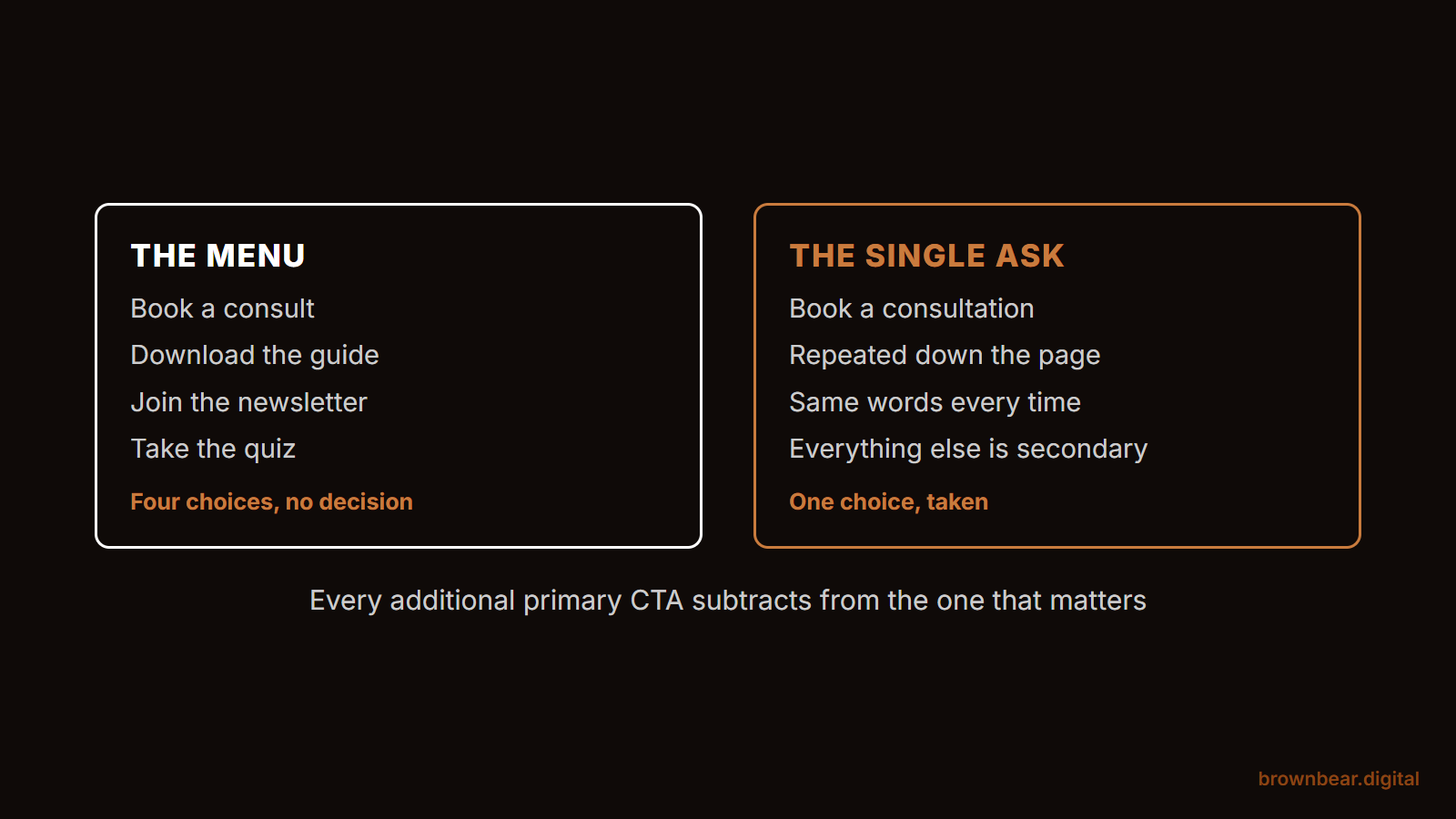
A hero that asks visitors to book, call, take a quiz, and join a newsletter converts a fraction of what one loud consultation CTA does. Repeat the same action in the same language at least three times down the page.
Why most plastic surgery homepages fail (even the beautiful ones)
Surgeons hire web designers who treat the homepage as a brand statement. The logo lands. The colors feel premium. The hero video pans across the building. And then a patient who's spent four weeks researching breast augmentation lands on the page and bounces in eight seconds.
The mismatch is intent. The patient is in evaluation mode. They want proof, credentials, results, and a clear next step. The homepage is giving them ambience.
The stakes are also higher than most surgeons assume, because the homepage is not only a front door. It is often the ranking page. When we analyzed the #1 result for breast augmentation across 101 US city markets, 52% of the winners were the practice homepage rather than a dedicated procedure page, and most of those homepages never say the procedure in their title tag at all. In small and mid-size metros a tightly themed practice site takes the top spot outright with its homepage. The page you have been treating as a brand statement may be the page Google is ranking for your most valuable keyword.
Every homepage element below is judged against one question: does this help a researching patient feel certain enough to book? If the element doesn't answer that, it's decoration.
1. Above-the-fold proof, not above-the-fold poetry
The first 600 pixels of a plastic surgery homepage carry more conversion weight than the next 6,000.
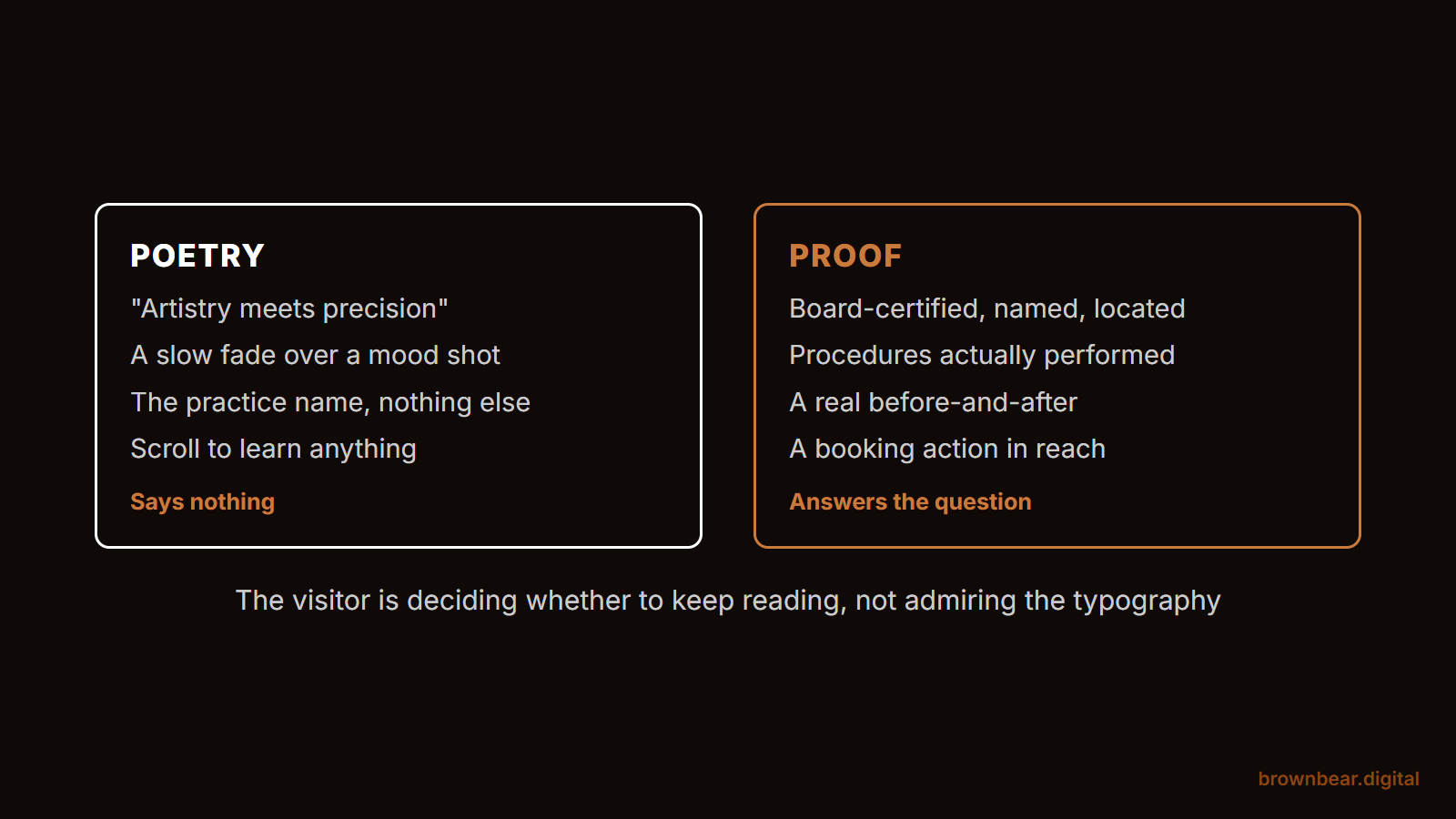
What we see in audit after audit: a hero block with a tagline ("Confidence redefined"), a building exterior, and a "Schedule consultation" button. The patient learns nothing about whether this surgeon is qualified, what they specialize in, or what their results look like.
What converts in that same space: the surgeon's name with credentials, a procedure-specific result, and a single primary action. A board-certified rhinoplasty specialist who shows a real result above the fold answers the patient's first three questions before they scroll.
Replace anything performative with anything proof-based. Tagline poetry costs more consultations than surgeons realize.
2. Board certifications and credentials, treated as ranking signals
Credentials on a plastic surgery homepage serve two purposes: they reassure the patient and signal the entity's authority to Google.
Most surgeons treat them as decorations: a small badge in the footer or a paragraph in the bio. That's a ranking-signal miss as much as a conversion miss.
The credentials that carry weight on the homepage:
- American Board of Plastic Surgery certification, named in text rather than shown only as a logo
- Society memberships (ASPS, ASAPS, regional societies) named in plain language
- Hospital affiliations and academic appointments
- Years in practice and procedure volume, where it's accurate to claim
These belong above the fold or in the first scroll. When Google indexes the page, named credentials become entity attributes that strengthen the surgeon's identity in search and in AI Overview citations. When a patient reads them, they answer the question every cosmetic patient is silently asking: am I in good hands?
A logo is not a citation. Write the words.
3. A homepage gallery preview that earns the click
Before-and-after galleries are the highest-converting page type on a plastic surgery website. The homepage's job is to get patients into the gallery, not to substitute for it.
Most surgeons either skip the gallery preview entirely or include a static slider that loads slowly and shows no context. Both approaches waste the most powerful asset on the site.
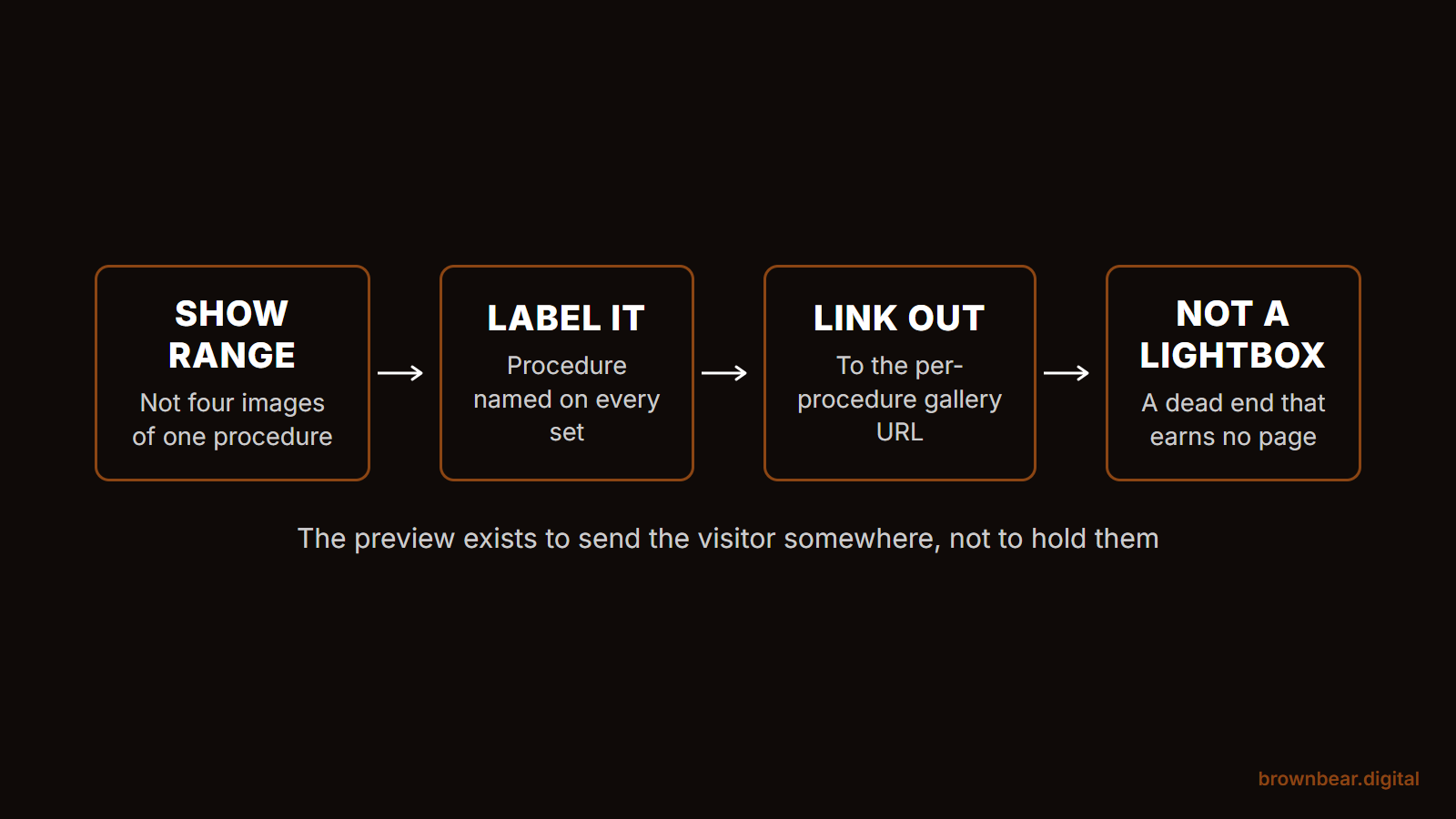
What works: a procedure-segmented preview block that shows three to six results across the surgeon's focal procedures, each labeled clearly. One image per procedure type, with a path to the full gallery for that procedure. Patients scan, find their procedure, and click through. Every click is a deeper-funnel session that correlates with consultation requests.
The preview earns its place by directing traffic to a richer destination, and that destination is a ranking page in its own right. In our 50-procedure before-and-after gallery study, 82% of the practice pages ranking for "[procedure] before and after" were dedicated per-procedure gallery URLs and only 5% were general procedure pages. One lumped photo page will not carry that traffic. If your gallery preview doesn't measurably increase gallery page sessions, it's costing you.
4. Procedure-specific signaling and the internal linking architecture it depends on
A plastic surgeon who lists 47 procedures on the homepage ranks for none of them.
Search engines and AI tools recognize entities by what they're repeatedly cited for. A surgeon's homepage that gives equal weight to rhinoplasty, breast augmentation, mommy makeover, facelift, BBL, liposuction, and 10 more procedures sends Google a flat signal: this surgeon does many things, none of them particularly notable.
The fix is uncomfortable but effective. Pick three to five focal procedures, the ones the surgeon wants to be known for, the ones with the strongest results, and the ones with the highest local search volume, then weight them on the homepage accordingly. Larger image blocks. Named in the H1 or hero subline. Linked first in the procedure navigation.
The link itself is doing structural work, not just navigational work. The homepage should pass authority to focal procedure pages with named anchor text, so "deep plane facelift" links to the deep plane facelift page, not "learn more" linking to a procedure overview. Every named-anchor internal link is a topical signal that compounds. The procedures the homepage links to most prominently, with the most specific anchor text, are the procedures the practice will rank for.
This isn't about hiding the rest of the menu. It's about telling Google, AI Overviews, and the patient what to associate this surgeon with first.
5. Video that loads fast and shows the surgeon, not the building
Hero video is the most overdone, under-thought element on a plastic surgery homepage.
The standard implementation: a 12-second loop of the building exterior, the lobby, a patient walking in, soft piano. It costs three to five seconds of load time on mobile, blocks the Largest Contentful Paint metric, and tells the patient nothing.
Video earns its place when it shows the surgeon. A 30-second consultation introduction. A procedure walkthrough at the level of detail patients actually research. A patient story, with consent, that demonstrates both outcome and bedside manner.
If the video shows the surgeon talking, consultation rates lift meaningfully. If the video shows the building, page speed craters and consultation rates flatten. Pick one. For where every other kind of video belongs across the site, see 8 places video belongs on your medical practice website.
6. Patient testimonials that read like real conversations
A homepage with five testimonials that all start "Dr. [Name] is amazing" converts worse than a homepage with two testimonials that read like a real patient.
Generic testimonials get scanned and forgotten. Specific testimonials get read. The difference is in detail: the procedure named, the recovery experience described, the moment of clarity called out, and the staff member remembered.
Three rules for homepage testimonials:
- Lead with the procedure-specific testimonial that matches your highest-intent traffic
- Include the patient's first name (with consent) and the procedure type
- Cap the homepage at two to three testimonials and link to a deeper page for the rest
Patients aren't reading these to be persuaded. They're reading to verify that the patients before them sound like them.
7. A primary CTA that's ruthlessly singular
The most common conversion failure on plastic surgery homepages is the four-CTA hero.
A surgeon who asks visitors to "Schedule a Consultation," "Call the Office," "Take the Quiz," and "Sign Up for the Newsletter," all in the same hero block, gets a fraction of the action a single primary CTA gets.
Pick the action that books surgery. Usually that's the consultation request. Make it the visually loudest button on the page. Repeat the same CTA at least three times down the homepage, in the same language, in the same color. Treat every other action as a quiet secondary path.
A homepage that pretends every visitor is at the same readiness stage will lose ready-to-book patients to friction designed for first-time visitors. The ruthlessly singular CTA respects the patient who's ready to book.
8. Trust signals: verifiable badges and accessible design
Trust signals on a plastic surgery homepage are part of the E-E-A-T layer Google uses to evaluate medical content: Experience, Expertise, Authoritativeness, Trustworthiness. The signals that work are the ones a search engine can independently confirm.
Useful trust badges:
- ASPS member badge with a link to the public ASPS directory listing
- Castle Connolly or RealSelf "Top Doctor" recognition with a verifying source
- Hospital privilege at a named institution, with the link to that institution's directory
- Press features (Vogue, NYT, Allure) with archived references where possible
Less useful: design awards from web design studios, generic "patients' choice" graphics with no source, and "5-star rated" claims without a Google review aggregate. If a trust badge can't be cross-referenced by a search engine, it builds neither ranking signal nor consultation conversion. Pick the verifiable ones.
The other half of the trust layer is accessibility. Plastic surgery practices face active ADA litigation risk on inaccessible websites, and Google rewards accessibility through engagement metrics. The minimums on a homepage: descriptive alt text on every image (including before-and-after thumbnails), keyboard-navigable menus and CTAs, sufficient color contrast on body text and buttons, semantic HTML headings in proper hierarchy, and labeled form fields. An accessible homepage converts better for every patient, not just those with disabilities, because the same patterns that pass WCAG also pass usability tests.
9. A mobile experience designed for the thumb, with Core Web Vitals to match
More than 70% of plastic surgery homepage traffic is mobile. Most homepages are designed for desktop, then made "responsive."
The patterns that fail on mobile:
- A primary CTA that requires scrolling to find
- A consultation form that demands eight fields before submission
- A hero video that fails to load before the patient bounces
- Procedure navigation hidden behind a hamburger menu without a mobile-specific entry point
The patterns that work:
- A sticky bottom-bar CTA that follows the scroll
- A two-field initial form (name + phone) that triggers a callback
- A hero image, not a video, that loads in under two seconds
- A homepage gallery preview that's swipeable, not scrollable
The performance numbers that have to land on mobile, not as aspirations but as hard targets:
- Largest Contentful Paint (LCP) under 2.5 seconds. This is usually the hero image or hero video; it's where most surgery homepages fail.
- Interaction to Next Paint (INP) under 200 milliseconds. Heavy JavaScript animations and pop-up consult forms are the usual culprits.
- Cumulative Layout Shift (CLS) under 0.1. Reserve image dimensions in the HTML; don't let the page rearrange as elements load.
Test the homepage on a four-year-old iPhone with mid-tier signal. That's where consultations are won or lost.
10. Local signals: NAP, Google Business Profile, and location pages
This is the element most aesthetic-led homepage redesigns skip, and the one local-intent traffic depends on most.
Plastic surgery is a local business. The patient searching "rhinoplasty surgeon Houston" is sending an unambiguous geographic signal, and the practices that rank for that query have built the local foundation Google uses to confirm the surgeon serves Houston.
The signals the homepage has to send unambiguously:
- NAP consistency. Name, Address, Phone: visible on the homepage and identical to the Google Business Profile, the ASPS directory, the hospital staff page, and every other directory the practice appears in. A single inconsistency (a different suite number, a punctuation difference, a tracking phone number that doesn't match) can break the entity match.
- A linked, optimized Google Business Profile. Not just claimed, but actively maintained, with current photos, accurate procedure categories, GBP posts, and a steady cadence of patient reviews with practice responses. The GBP is the homepage's local twin; they have to agree.
- Location pages for every office. Multi-location practices need a separate page per office, each with unique content, location-specific staff, and its own embedded map. The homepage links to each one with named anchor text ("our Bellevue office," not "locations").
- An embedded map with the practice address. Visually obvious on the homepage, not buried in a footer.
The homepage that treats local signals as an afterthought is the homepage that ranks nationally for nothing and locally for less.
11. Schema markup that confirms the entity to Google
Almost no plastic surgery homepages we audit have schema implemented properly. This is the highest-leverage technical fix on most sites.
The three schema types that belong on a plastic surgery homepage:
- LocalBusiness (or its medical subtype, MedicalBusiness), declaring the practice's name, address, phone, hours, geo coordinates, and review aggregate. This is what feeds the Knowledge Panel and the local pack.
- Physician, declaring the surgeon (or each surgeon, for multi-surgeon practices) as a recognized medical entity, with specialty, hospital affiliation, and the procedures performed.
- WebSite with SearchAction, letting Google understand the site's search box and surface it directly in the SERP.
Layered together, these tell a search engine the homepage isn't just a marketing page; it's the canonical declaration of a real medical entity with a real practice in a real place.
When a patient asks an AI assistant "best plastic surgeons in [city]," the homepages that get cited are the ones whose entity Google has been able to confirm through schema, NAP consistency, and same-as links to authoritative directories. Without schema, the homepage is invisible to the systems answering the question.
What to audit on your own homepage tomorrow
Open your homepage on your phone. Then ask:
- Does the first scroll show the surgeon's name, credentials, and a real result?
- Can I find a single primary CTA without searching?
- Do my listed procedures match the three to five I want to be known for?
- Does the page load before I'd give up on it, under 2.5 seconds for the hero?
- Is the practice's NAP visible and identical to the Google Business Profile?
- Are LocalBusiness, Physician, and WebSite schema implemented and validating?
- Does every image have descriptive alt text and is the menu keyboard-navigable?
If half of those answers are no, the homepage is leaving consultations behind. The fix is rarely a redesign. It's a re-prioritization of what each element is doing on the page.
A plastic surgery homepage that books consultations is a homepage that respects the researching patient. Every element earns its position by helping that patient feel certain enough to take the next step. Beauty is a side effect. Conversion is the work.
References
-
American Society of Plastic Surgeons. (2025). Find a Plastic Surgeon. American Society of Plastic Surgeons. https://www.plasticsurgery.org/find-a-surgeon
-
Google LLC. (2025). Core Web Vitals. Google Search Central. https://developers.google.com/search/docs/appearance/core-web-vitals
-
Google LLC. (2025). Search Quality Rater Guidelines. Google Search Central. https://developers.google.com/search/docs/fundamentals/creating-helpful-content
-
RealSelf. (2025). About RealSelf. RealSelf. https://www.realself.com/about
-
Schema.org. (2025). LocalBusiness. Schema.org. https://schema.org/LocalBusiness
-
U.S. Department of Justice. (2024). Introduction to the ADA. ADA.gov. https://www.ada.gov/
-
W3C. (2023). Web Content Accessibility Guidelines (WCAG) 2.2. W3C. https://www.w3.org/TR/WCAG22/
Related reading: Plastic Surgeon About Pages: The Most Underused Trust Asset on Your Website · Plastic Surgery Before and After Galleries: The Hidden Conversion Driver Most Surgeons Underuse · Plastic Surgery Website Design in 2026
Ready for Brown Bear to Fix Your Homepage?
A homepage that doesn't convert isn't a design problem. It's a strategy problem, and it's one Brown Bear Digital solves regularly for plastic surgery practices. We audit, restructure, and optimize homepages around the elements that actually book consultations: entity-confirmed credentials, procedure-specific signaling, singular CTAs, schema, and a mobile experience built for the patient who's ready to call. Our web design services, conversion rate optimization, and plastic surgery SEO cover the full scope of what we build for practices, as part of our broader plastic surgery marketing approach. Get in touch and we'll run your homepage through the audit checklist in this post.
Written By
Founder, Brown Bear Digital
Bryan has 15 years of experience across SEO, paid search, and AI search strategy. He founded Brown Bear to give businesses direct access to senior-level search expertise without the agency overhead.
Learn More About BryanReady to Turn Search
Into Revenue?
No pitch decks. Just a real conversation.