The SEO Website Migration Checklist for High-Stakes Websites
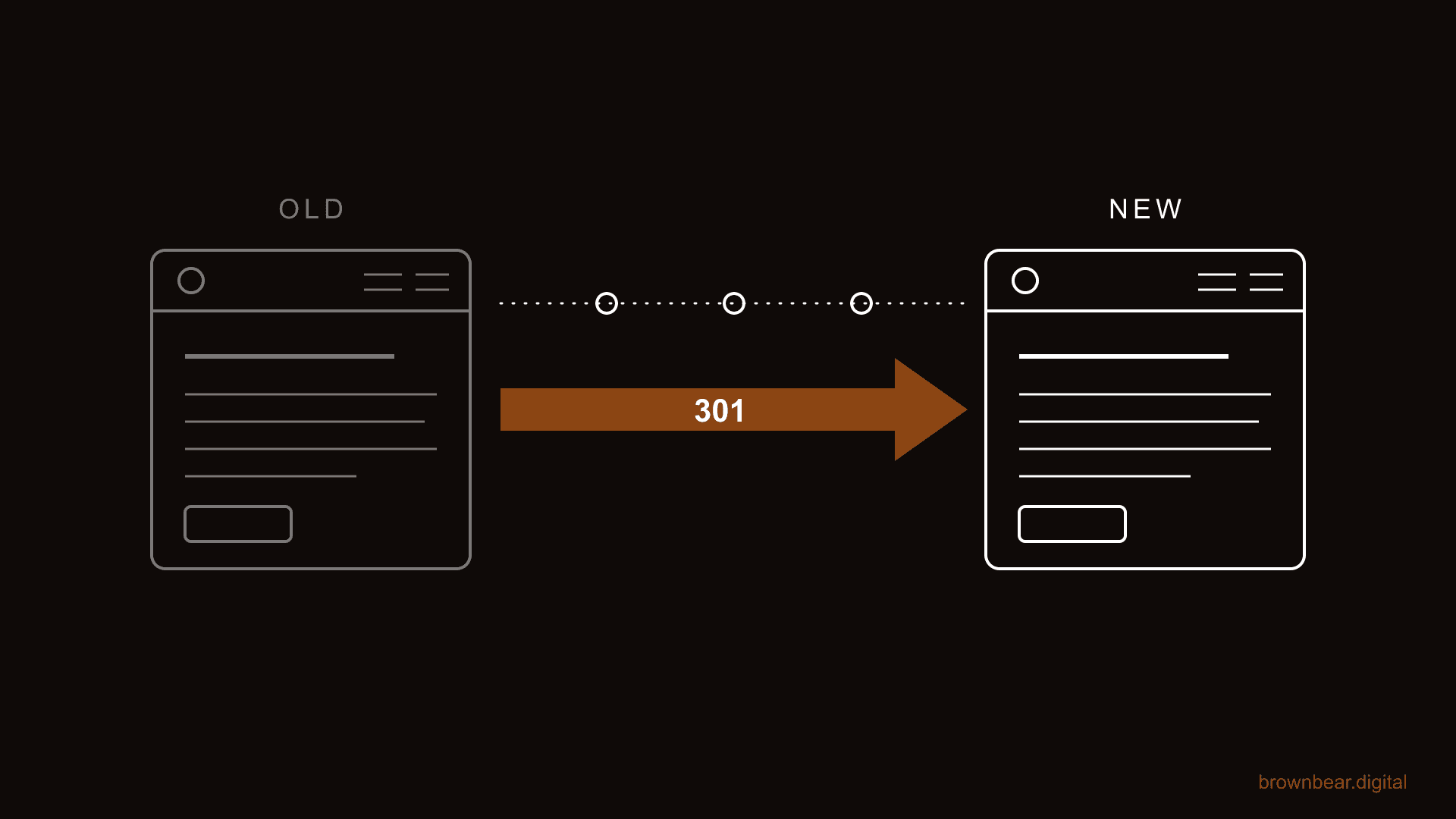
A website migration is the highest-risk project in search marketing. One launch day can undo years of accumulated rankings, and for a medical practice, a clinic, or any site Google holds to a higher standard, the fall is steeper and the climb back is slower. This is our plain-language checklist for moving a website without losing what Google already trusts about it.
At Brown Bear, migrations are where our SEO and web design work meet, and we've run migration protection for practices where organic booking is the primary channel. The checklist below is the way we actually run launches: benchmark first, redirect everything that matters, then watch the first 72 hours closely.
When we say migration, we mean both the obvious version and the quiet ones: a new domain after a rebrand, a re-platform from WordPress to a new CMS, a redesign that keeps the domain but changes every URL, even a template refresh that rewrites your heading structure. If URLs, content, or code change at scale, Google re-evaluates the site, and this checklist applies.
If you're a practice owner whose developer is pushing a redesign and your stomach drops at the thought of losing patient inquiries, this is for you. If you're the marketing lead steering a multi-provider group through a CMS change, it is also for you. And if you've already launched and watched organic traffic slide, skip ahead to the first-90-days section: there's a diagnostic there.
By the end, you'll have three things: a benchmark that proves what you had, a redirect map that protects it, and a watchlist that tells you whether your recovery is normal or an emergency. We've grouped the work into five stages: planning, pre-launch, launch day, the first 72 hours, and the first 90 days. Let's start with the question that sets your risk level: what kind of migration are you actually doing?
Key Takeaways
The redirect map decides the outcome
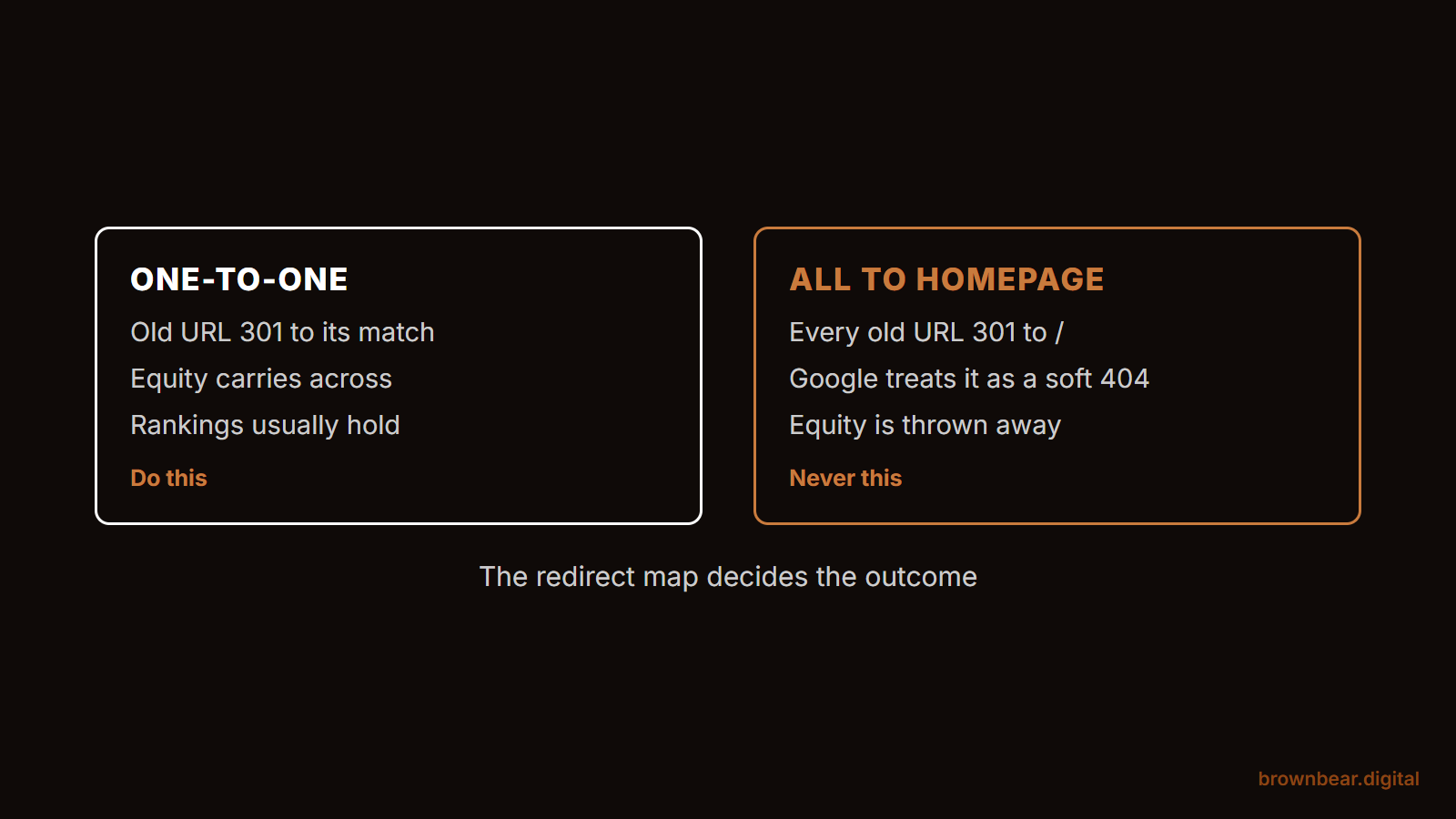
A one-to-one 301 map from every old URL to its matching new page is the single highest-leverage task in a migration. Everything-to-the-homepage is the shortcut Google treats like a deleted site.
High-stakes sites lose more than traffic
For medical and other YMYL sites, a migration puts E-E-A-T equity at risk: provider bios, credential pages, reviews, and local signals. Standing is slower to rebuild than traffic.
Know normal recovery from an emergency
Weeks of modest fluctuation is normal and Google says so. Traffic down by half, piling 404s, or vanished money keywords is an incident, and the 72-Hour Watchlist below catches it early.
What Counts as a Migration and How Risky Yours Is
A website migration is any change that alters your site's URLs, platform, content, or design at scale. The risk is not the change itself. The risk is breaking the signals Google has already attached to your pages: rankings, links, and trust earned over years.
One reframe from the technical SEO community is worth keeping in your head the whole way through: there is no such thing as changing a URL. When a URL changes, you are creating a new page and abandoning one Google already knows. Every "change" is really a handoff, and the redirect is the handoff document.
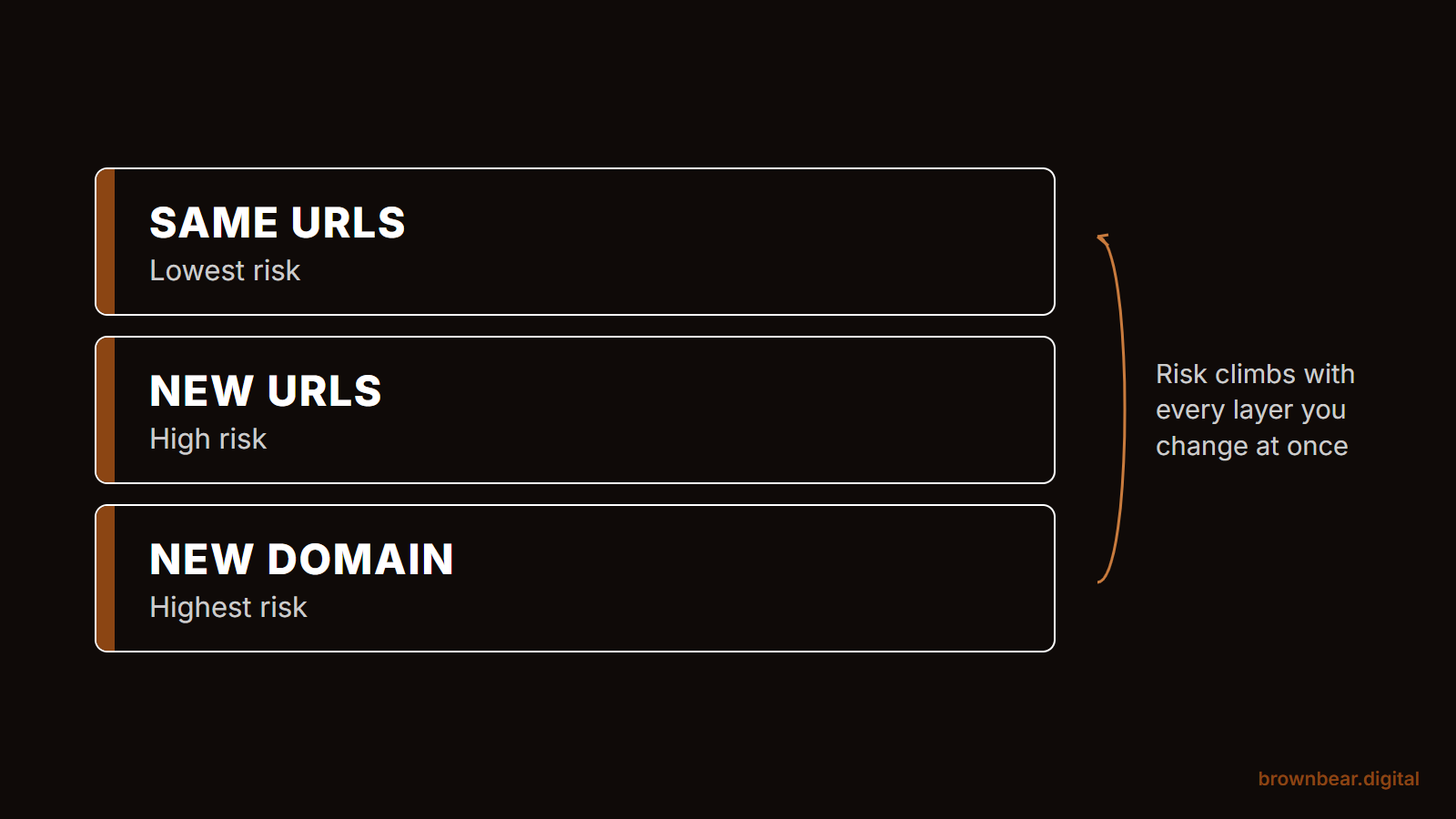
Your migration type sets your checklist. If you're redesigning on the same domain and keeping every URL, your risk is lowest: focus on content parity and the staging QA stage. If your URLs are changing, whether from a CMS move or a restructure, every item in this checklist applies, and the redirect map is your center of gravity. If your domain is changing, add Google's change-of-address process on top and expect the slowest recovery of the three.
Why High-Stakes Sites Have More to Lose
Google's quality-rater guidelines call health and money topics Your Money or Your Life pages and hold them to the highest content standards. A migration puts every trust signal that clears that bar at risk at the same time: provider bios, credential pages, reviews, before and after galleries, and the local signals tied to your addresses. General sites lose traffic in a bad migration. High-stakes sites lose standing, and standing is slower to rebuild than traffic.
This is why the pages that never rank a keyword still matter on launch day. Your surgeon bios and about pages are load-bearing for what Google actually measures with E-E-A-T. If the rebuild drops them, thins them, or breaks their links from procedure pages, you've cut the evidence Google uses to justify ranking you for the queries that pay.
Compounding is the other reason. In our deep plane facelift content campaign, six interconnected pages grew a practice's organic traffic 520 percent, from 749 to 4,645 monthly visits, and lifted its Google AI Overview citations 10.5x between April 2025 and July 2026. That growth compounds only while the cluster stays intact. A migration that breaks its URLs or internal links resets the compounding clock.
One more pattern from the AI-visibility audits we run: practice owners are most often surprised by how much third-party sites, reviews, directories, and press drive how AI tools describe them. A migration that breaks the URLs those third parties link to quietly erodes that layer too.
Picture a two-surgeon practice ranking in the top three for its main procedure plus its city, booking around 60 organic consultation requests a month. A botched migration knocks it to page two for eight weeks. That is not a traffic dip on a chart. At typical consult-to-surgery rates, it is a quarter of surgical bookings gone, and the referral and review flywheel those patients feed slows with it. That is the stake this checklist protects.
Stage One: Benchmark Everything Before Anyone Touches Code
You cannot prove a migration succeeded, or diagnose why it failed, without a before picture. Benchmark first, before the build starts, because the old site's data disappears when the old site does.
Export and archive, at minimum:
- Search Console performance: queries and pages, full 16 months
- Analytics landing pages with conversions attached, not just sessions
- Rankings for your money keywords, captured in a rank tracker
- A full crawl of the current site: this is your URL inventory and your redirect map's left column
- Your most-linked pages from a backlink tool: these URLs must redirect perfectly
For a practice, add the layer generalist checklists skip: screenshot your Google Business Profile and local SEO signals, including which landing pages your GBP listings point to, inventory your structured data page by page, and list every page carrying review widgets, provider bios, and credentials. Those are the E-E-A-T assets the new build must carry over intact.
Four actions before moving on:
- Crawl the live site and save the export as your URL inventory.
- Export Search Console and analytics data to files you own, off-platform.
- Record current rankings for the 20 to 50 keywords that drive business.
- List your trust pages: bios, credentials, reviews, galleries, and where GBP points.
Stage 1 · Benchmark 0/5
Stage 2 · Redirect map 0/4
Stage 3 · Staging QA 0/5
Stage 4 · Launch day 0/6
First 72 hours 0/4
First 90 days 0/3
Stage Two: The Redirect Map Decides the Outcome
The single highest-leverage task in any migration is a one-to-one 301 redirect map: every old URL pointing to the new URL that best matches its content. Not the homepage. Not a category page. The matching page. Redirecting everything to the homepage is the classic shortcut, and Google treats it roughly like a deleted page.
Practitioners who have done this repeatedly agree it is also the most time-consuming single task in the project. Budget real hours for it, and build it in a spreadsheet with three columns: old URL, new URL, and the page's priority tier.
Say your practice site has 412 URLs in the crawl. Sixty of them drive 95 percent of organic entrances, and a dozen hold most of your backlinks. Tier one is those pages: map each by hand and test each by hand on launch day. Tier two is everything with some traffic or links: map carefully, spot-check after launch. Tier three is the long tail: pattern-match with rewrite rules, then crawl to catch strays. The tiers keep perfectionism from consuming the schedule while guaranteeing the pages that matter get human eyes.
Three rules for the map itself:
- Use 301s, not 302s, and avoid chains: old URL to final URL in one hop.
- Update internal links in the new build to point directly at new URLs. Do not lean on redirects internally.
- Keep the redirects live for as long as possible, "generally at least 1 year" per Google's site-move documentation. For a high-stakes site, treat them as permanent.
Stage Three: Staging QA Before Launch
The new site gets built and tested on a staging environment that search engines cannot index. The QA job is parity: proving the new site preserves what the old site earned before anyone flips a switch.
Crawl the staging site and diff it against your benchmark crawl. You are comparing titles, meta descriptions, H1s, body content, canonicals, structured data, image alt text, and internal links, page by page. Every unexplained difference is a question for the build team, and "the new template just does it that way" is not an answer. This is also the moment to test every form and conversion path end to end, because a migration that preserves rankings but breaks the consultation form still empties the calendar.
This is where the build partner matters. A web design and development team that treats SEO parity as a launch requirement runs this diff themselves. If your developer has never heard of a parity crawl, that is a signal to add oversight now, not after launch.
Medical practices have one more gate here. If your new site adds analytics, pixels, or session tools to appointment and contact flows, that is a compliance decision, not just a marketing one. The Department of Health and Human Services has warned that tracking technologies on scheduling and form flows can disclose protected health information, requires business associate agreements with vendors that receive it, and is explicit that a cookie banner is not HIPAA authorization. Parts of that guidance were narrowed by a federal court in June 2024, but the appointment-flow risk it describes is exactly where practice websites collect the most sensitive input. The HHS bulletin on tracking technologies is worth reading before the new tag plan ships, and we cover the marketing side in how HIPAA compliance shapes medical SEO.
Finally, confirm the staging site is actually blocked from indexing, and put "remove the block" at the top of the launch-day list. Both failure modes are common: staging sites that get indexed and launch days that ship the noindex tag to production.
Stage Four: The Launch Day Sequence
Launch day is a sequence, not a scramble. Run it in this order:
- Lower your DNS TTL a day or two ahead so the switch propagates fast.
- Deploy, then immediately remove staging blocks: check robots.txt and sweep for stray noindex tags.
- Enable the redirect map and hand-test every tier-one URL.
- Submit the new XML sitemap in Search Console. If the domain changed, run the change-of-address tool now.
- Crawl the live site the same day and fix what it finds.
- Confirm analytics and conversion tracking fire on the live site.
Keep the old hosting account alive until recovery is confirmed. It costs a few dollars a month and it is your rollback plan.
The 72-Hour Watchlist
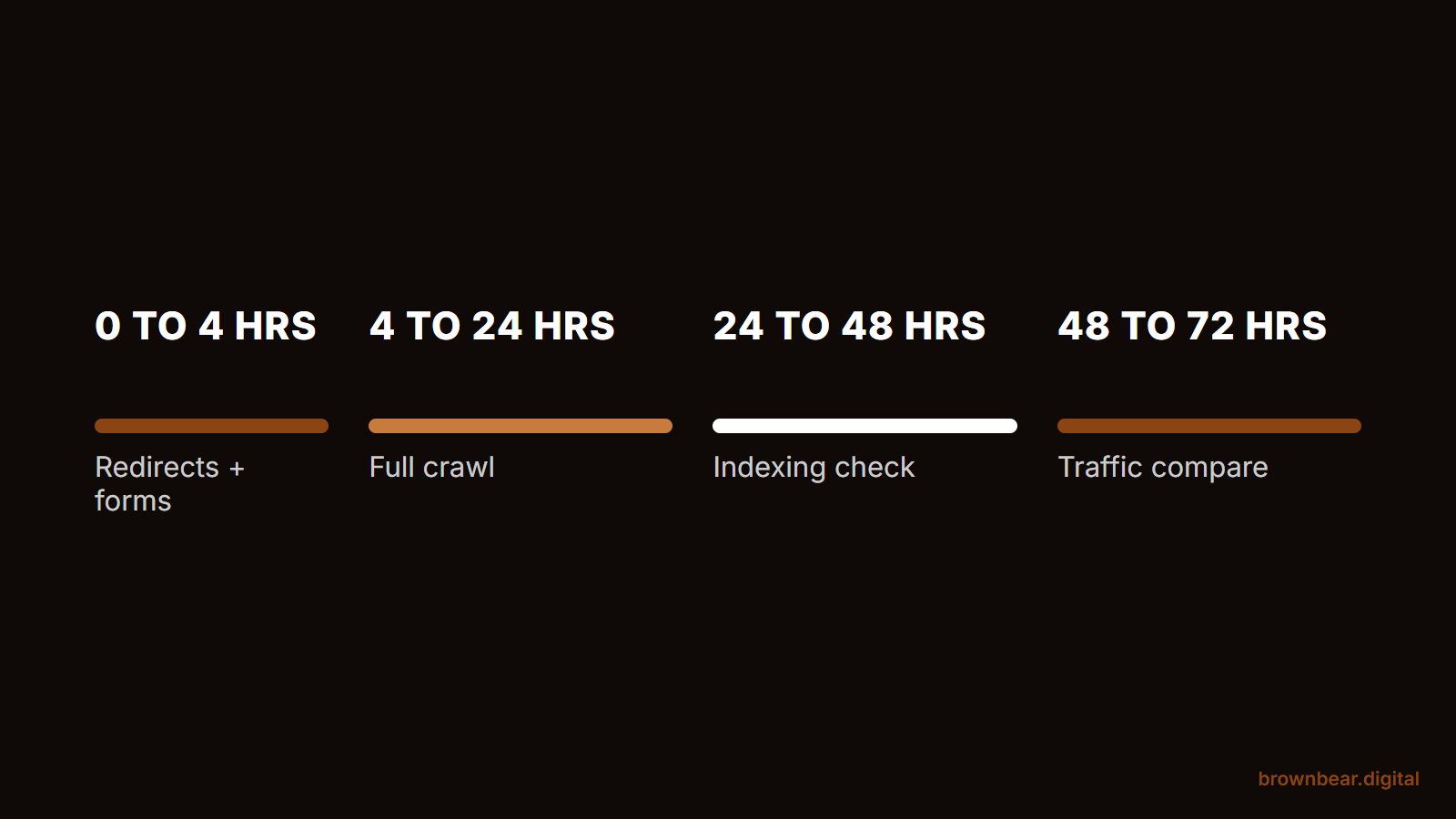
Most guides end with "monitor your analytics." That advice is why migrations fail quietly. The 72-Hour Watchlist is the protocol we use instead: specific checks at specific hours, each with a threshold that tells you whether you're looking at normal settling or an emergency.
Hours 0 to 4.
Hand-test your tier-one redirects, robots.txt, and forms. Confirm analytics is collecting. Normal: a handful of stray 404s in the long tail. Emergency: any tier-one page 404ing or any noindex in the live source. Fix within the hour.
Hours 4 to 24.
Run a full crawl of the live site. Pull the 404 report and patch redirect gaps. Check server logs or the crawl-stats report: Googlebot should be hitting old URLs and receiving 301s. Normal: crawl activity spiking. Emergency: Googlebot receiving 200s on old URLs that should redirect, or 5xx errors at scale.
Hours 24 to 48.
Check Search Console's page-indexing report for the new URLs and confirm the sitemap shows as processed. Watch your branded queries: searches for your practice name should still land on you. Normal: old URLs still appearing in results. That is expected and resolves on its own. Emergency: branded searches surfacing the staging domain or old URLs that return errors instead of redirecting.
Hours 48 to 72.
Make the first real traffic comparison, same weekday against your benchmark, and spot-check rankings on your money keywords. Normal: organic traffic down modestly with rankings wobbling. Emergency: traffic down by half or more, or money keywords gone from the top 50. That means a structural miss, and the diagnostic in the next section is your path.
The First 90 Days: Normal Recovery or Emergency
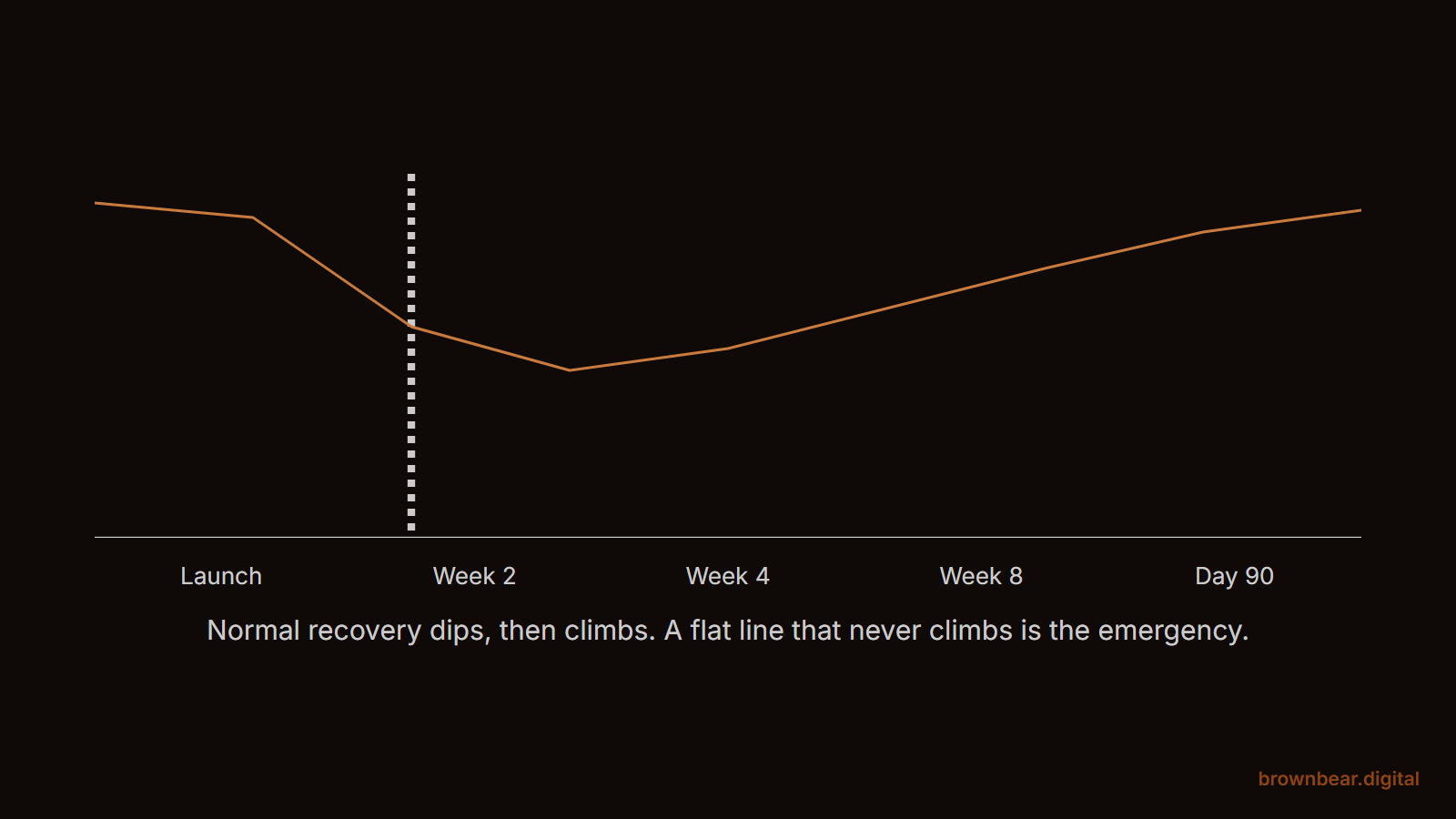
Some ranking fluctuation after a migration is expected, and Google says so plainly: temporary fluctuation is normal while a move processes, and "a medium-sized website can take a few weeks for most pages to move in our index; larger sites can take longer." Community experience matches: weeks to a couple of months is the honest window for URL changes to fully settle.
For medical and other YMYL sites, plan for the slower end of that window. Google re-evaluates trust on these topics more cautiously than it re-crawls a hobby blog, which is consistent with how long YMYL SEO takes to move in general.
The fork that matters: if traffic is down less than about 20 percent, your redirects test clean, and indexing is progressing week over week, hold steady. Changing things mid-recovery resets the clock. But if traffic is down by half, 404s are accumulating, or money keywords have vanished from the top 50, you are not in a recovery. You are in an incident, and waiting is the wrong move.
If you're in the incident branch, this diagnostic finds most culprits, in order of frequency:
- A noindex tag or robots.txt block shipped to production.
- Redirect gaps: old URLs returning 404 instead of 301.
- 302s or redirect chains where single-hop 301s should be.
- Internal links still pointing at old URLs, or nav links broken in the new template.
- Canonical tags pointing at staging, the old domain, or the wrong page.
- The staging site indexed and competing with production.
- Content that quietly changed: thinner pages, merged pages, rewritten titles.
Say you re-platformed in March and by week three organic is down 40 percent. A twenty-minute crawl finds it: the new template shipped noindex on 900 service-area pages nobody thought about because they were auto-generated. Remove the tag, resubmit the sitemap, and the recovery starts that week. Most migration disasters are one unglamorous technical miss, found by crawling, not guessing.
One code-level note from our own rebuild work: most AI crawlers still don't render JavaScript the way Googlebot does, so a migration to a heavily client-side rendered stack can make a site less readable to AI search even while Google copes. It's one reason we routinely strip JavaScript weight off client sites during rebuilds. If AI visibility matters to your practice, make render-without-JS part of the staging QA.
What a Safe Migration Costs and Who Should Run It
Migration cost scales with four factors: how many URLs you have, whether URLs change, whether the platform changes, and how much custom functionality the site carries. The SEO protection work, benchmarking, redirect mapping, parity QA, and post-launch monitoring, is a defined project on top of the build, not something a build quote includes by default. Ask directly whether it's in scope. The expensive migrations are the ones where everyone assumed someone else owned the redirect map.
Whether to hire help is a fork, not a lecture. If your site is small, the domain and URLs aren't changing, and you're comfortable in Search Console, you can run this checklist yourself: benchmark, parity-check, launch, watch. But if URLs are changing at scale, the domain is changing, or organic search books a meaningful share of your revenue, bring in someone who has done it before. The math is asymmetric: for a practice, the consultations lost to eight bad weeks usually cost more than the entire protection project.
- Get the URL count and change scope from your developer in writing.
- Ask who owns the redirect map. If the answer is vague, that is your risk.
- Price the SEO protection work as its own line item and compare it to a month of organic-sourced revenue.
Planning a Website Migration? Brown Bear Protects What You've Built
A migration done right is invisible: the site changes, the rankings hold, and the phones keep ringing. Getting there is process, not luck, and it is the process we run for practices where search is a patient-acquisition channel, not a vanity metric. If a redesign or re-platform is on your calendar, talk to us before the build starts, when protection is cheapest. That conversation starts with our SEO services built for high-stakes practices.
Written By
Founder, Brown Bear Digital
Bryan has 15 years of experience across SEO, paid search, and AI search strategy. He founded Brown Bear to give businesses direct access to senior-level search expertise without the agency overhead.
Learn More About BryanGet Found on Google.
Get Cited by AI.
Tell us about your site. We'll send back a proposal for SEO and AI search.