The GEO Audit: 12 Site Checks You Can Run in a Browser
This is Brown Bear's audit for finding out whether AI assistants can reach, read and correctly describe your website. Twelve checks, each with a test you run yourself, a threshold, and a clear failure condition.
Every check here runs in a browser with free tools. No subscription, no signup, no score gated behind an email address. That constraint is deliberate, and section 2 explains why it turned out to matter.
We run AI visibility audits for medical practices and local service businesses, and our founder, Bryan Passanisi, has spent two years doing this work by hand before any of it was a product. If you want the definition of the term first, we have what GEO is as its own piece. This page assumes you are past that and want to check your own site.
If you suspect something is wrong but cannot name it, start at check 1 and stop at your first failure. If someone has asked you to run a GEO audit and given you no budget, the whole list is free. And if you are running this for a client, the order matters more than the score, which is section 16.
By the end you will have a number out of 12, a named first fix, and a clear sense of which parts of your visibility problem this audit cannot see.
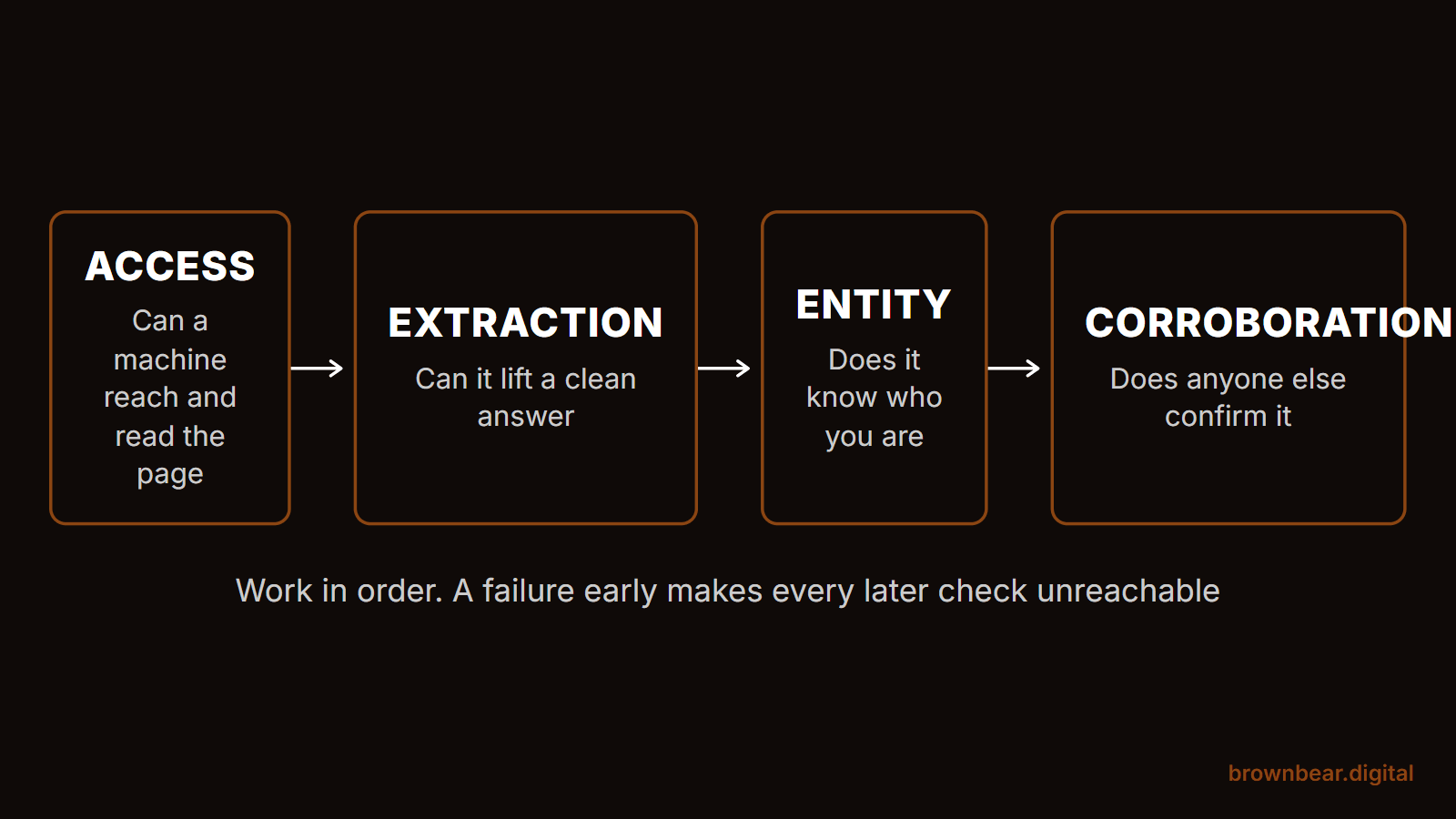
We have grouped the checks into four phases: access, extraction, entity, and corroboration. Start with the reason the order is not arbitrary.
1. How to Run This Audit
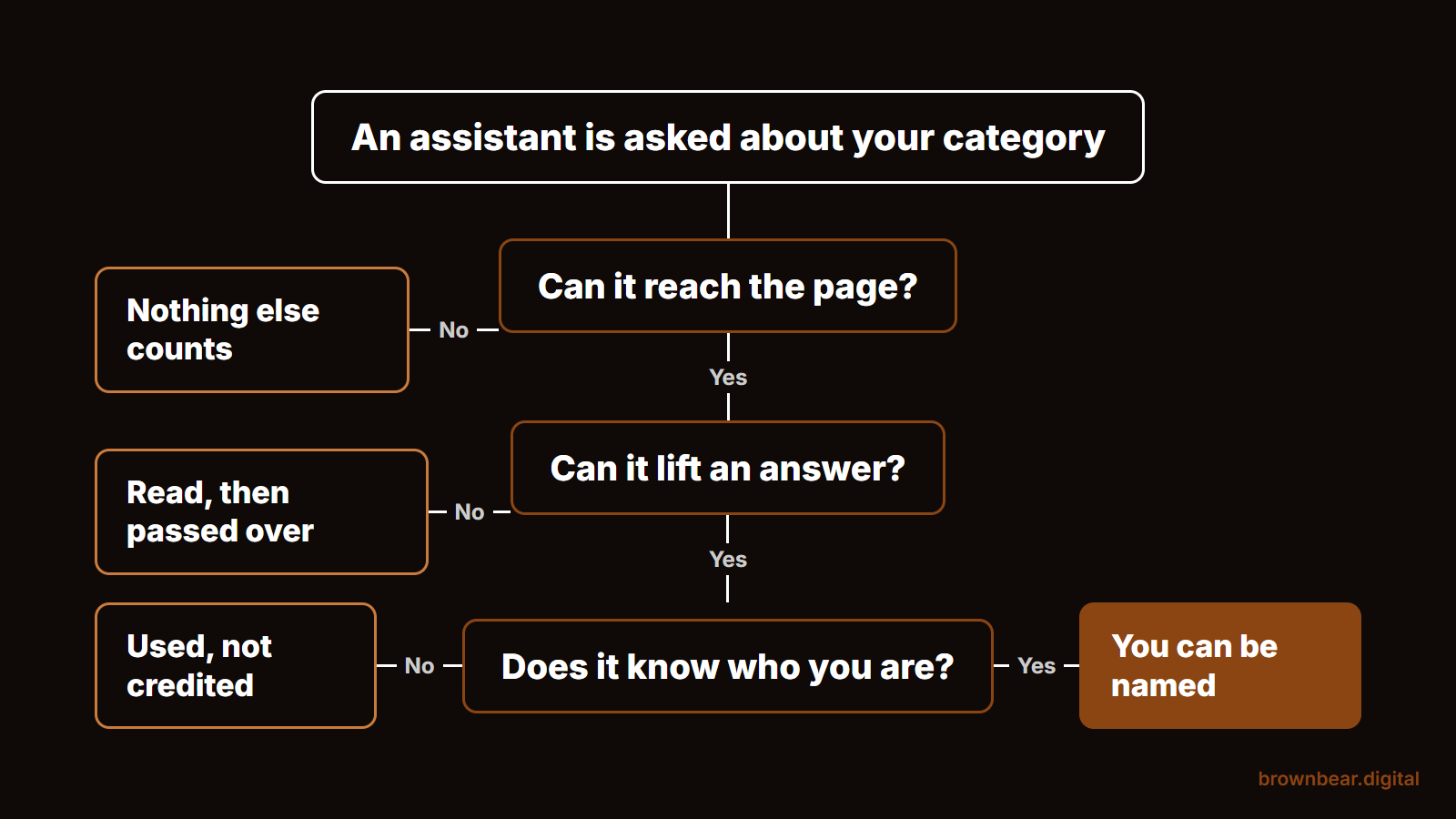
Work through the four phases in order and stop at your first failure. The phases are sequential rather than parallel: if AI crawlers cannot reach your site, nothing you score in the later phases can help you, because none of it is being read.
That ordering is the main thing this audit does differently. Most GEO checklists score every item equally and hand you a total, which invites you to fix the easy items and leave the one that actually matters. A site that fails check 1 and passes the other eleven is not scoring eleven out of twelve. It is scoring zero, because it is invisible.
| Phase | Checks | Question it answers | If it fails |
|---|---|---|---|
| Access | 1 to 3 | Can a machine reach and read the page at all | Stop. Nothing downstream matters yet |
| Extraction | 4 to 6 | Can it lift a clean answer once it is there | You get read and passed over |
| Entity | 7 to 9 | Does it know who you are | You get read but not identified |
| Corroboration | 10 to 12 | Does anyone else confirm it | You get identified but not recommended |
Score each check pass, partial or fail. This page tells you what is broken. For how to repair each one, how to fix each of these is the companion piece, and every check below points at it rather than repeating it.
2. Why Most GEO Checklists Cannot Be Run
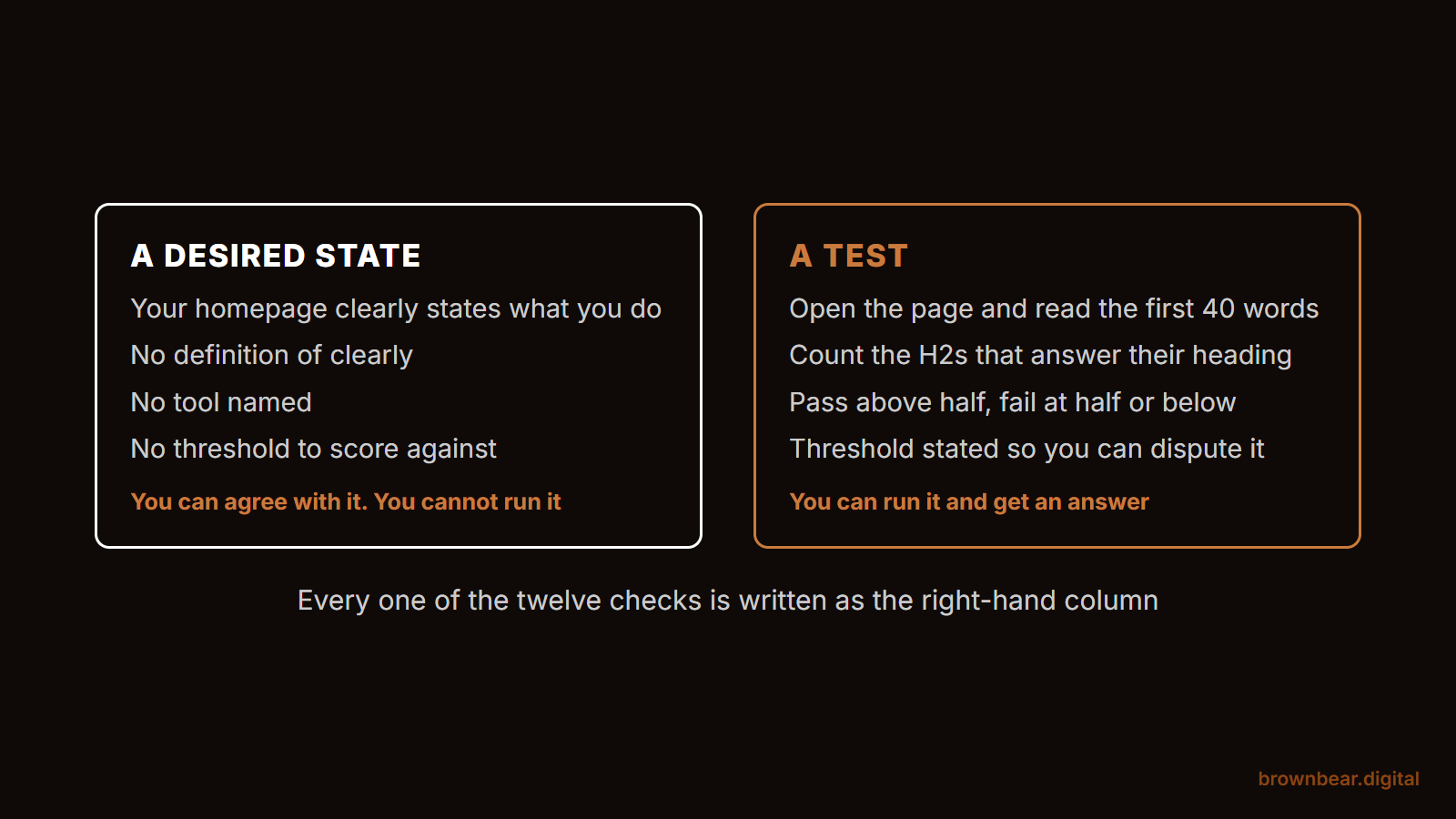
Most published GEO audit checklists list desired states rather than tests. They tell you what should be true without telling you how to find out whether it is.
This is worth naming because it is nearly universal on this topic and it wastes real time. The most structured checklist currently ranking for this search scores 38 items across five sections, with partial credit, and does not supply a single concrete test. One of its items reads that your homepage should clearly state what your business does in the first hundred words. There is no definition of clearly, no threshold, and no method. You cannot score that. You can only agree with it.
The most thorough page on the subject does better and still only makes three of its nine areas genuinely checkable. The other six route you to its own paid modules to do the measuring.
There is no conspiracy in this. Almost every checklist on this topic is published by a company selling the tool that performs the audit, and a checklist you can run yourself is a worse advertisement than a score you have to log in to see. It does mean that if you have read one of these and come away unable to act, the checklist was the problem.
3. Can Any Crawler Reach Your Site
Open yoursite.com/robots.txt in a browser. If you see Disallow: / under User-agent: *, or your main content paths listed as disallowed, you fail this check and nothing else in this audit matters yet.
The test:
type your domain followed by /robots.txt. Read the whole file, which is usually under 30 lines. Pass: your content paths are reachable. Fail: a blanket disallow, or a disallow covering the pages you want cited. Google's introduction to robots.txt explains the syntax if a line is ambiguous.
Picture a practice that relaunched its site last spring. The staging server had a blanket disallow, as staging servers should, and the file was copied to production with everything else. For four months the site was live, indexed nowhere, and invisible to every assistant. Nobody checked, because nobody thinks to check the one file that takes ten seconds to read.
4. Are the AI Crawlers Specifically Blocked
Search that same robots.txt file for GPTBot, ClaudeBot, PerplexityBot, CCBot and Google-Extended. Any of them disallowed is a deliberate decision, and it should be one you remember making.
The test:
Ctrl+F the file for each user-agent name. Pass: none are blocked, or the blocks are intentional. Fail: you find blocks nobody at your business decided on, which usually arrive with a plugin or a host's default.
One distinction almost every checklist gets wrong, and it is worth being precise about, because Google-Extended is not what most SEO writing says it is.
Google's crawler documentation states plainly that "Google-Extended does not impact a site's inclusion in Google Search nor is it used as a ranking signal in Google Search." So blocking it costs you nothing in ordinary search. But it is also not purely a training control, which is the part usually reported wrong: the same documentation says it governs whether your content is used for training Gemini models and for grounding in Gemini Apps and Grounding with Google Search on Vertex AI. Grounding is the live retrieval step, not model training.
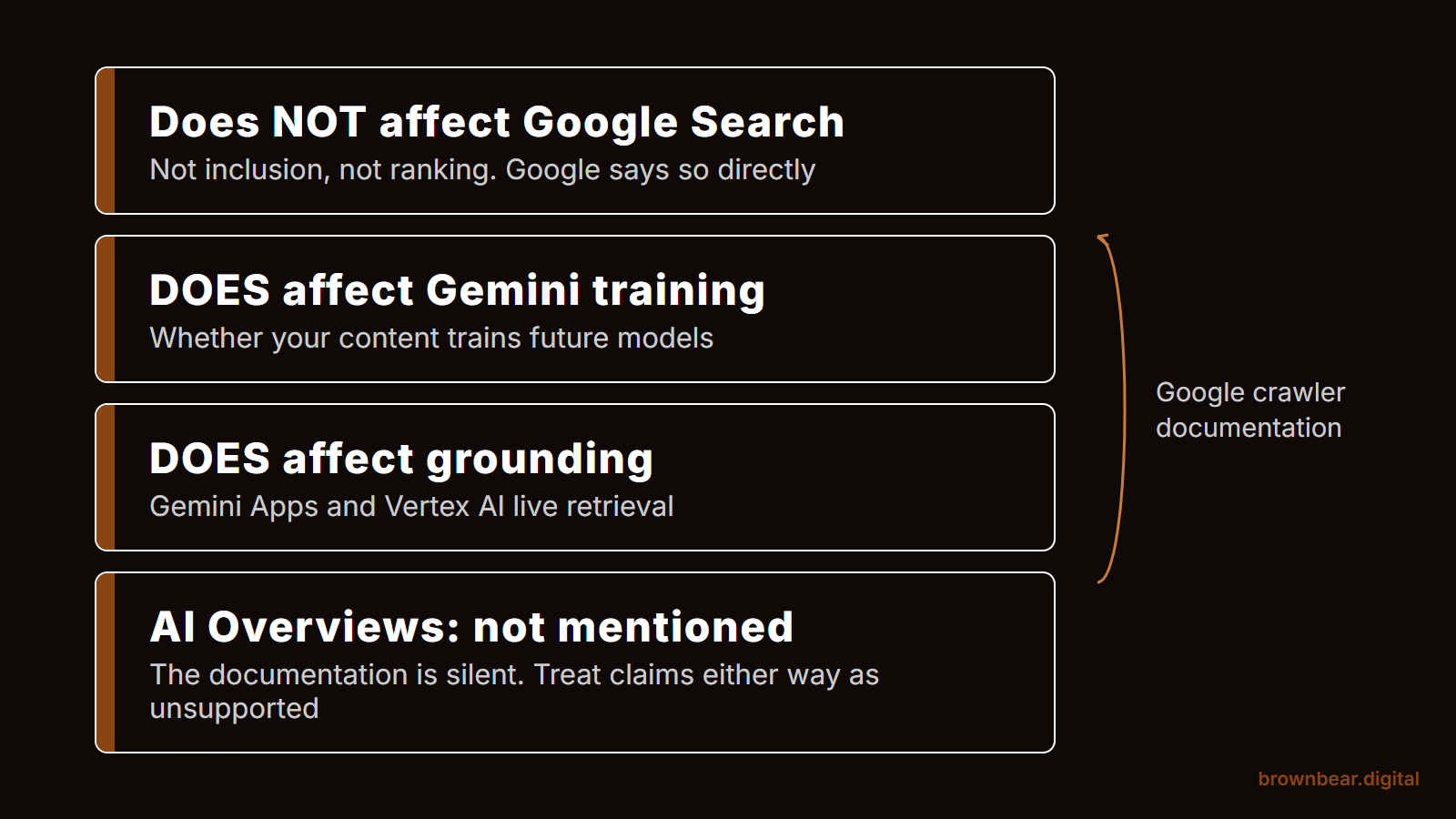
So the accurate reading is narrower than either version you will normally see. Blocking Google-Extended does not affect Google Search. It can affect whether your content is available to Gemini Apps when they go looking. Google's documentation does not mention AI Overviews in connection with this control at all, so treat any claim in either direction about AI Overviews and Google-Extended, including one you may have read from us, as unsupported. If you blocked it deliberately for training reasons, that decision now has a cost you may not have priced in.
5. Does Your Content Exist Without JavaScript
View the page source and search for a distinctive sentence from your main body copy. If the sentence is not in the raw HTML, assume a meaningful share of crawlers cannot read it.
The test:
Ctrl+U on the page, then Ctrl+F for an exact phrase from the middle of your copy, something specific enough not to appear in a template. Pass: the sentence is there. Fail: the source is mostly script tags and your copy is absent.
Say a company is proud of its React site, and rightly so, because it is fast and pleasant to use. View-source returns a shell, a bundle reference and no prose. Google renders it eventually. Several assistant crawlers do not, and the ones that do will often take the version they can read first. The fix is a rendering decision rather than a content one, and getting the JavaScript out of the way covers the options.
6. Does Each Section Answer Its Own Heading
Read the first forty words under each H2 on your most important page and ask whether they answer the heading. If more than half of your sections build up to the answer instead of leading with it, you fail this check.
The test:
count your H2s, then count how many are answered within their first two sentences. Pass: more than half. Fail: half or fewer. This is countable in about five minutes on a single page and it is the only check here with a genuinely arbitrary threshold, which is stated so you can disagree with it.
A machine lifting an answer takes the passage that answers cleanly. A section that spends three paragraphs on context before the point is a section that gets skipped in favour of a competitor who did not make it work.
7. Do Your Headings Match How People Ask
Read your H2s as a list, out loud. If they are labels rather than questions or claims, they do not map to how anyone phrases a query.
The test:
list your headings in isolation. Pass: a stranger could tell what each section answers from the heading alone. Fail: headings like "Our Process", "Overview" or "Considerations", which describe a container rather than an answer.
8. Is Comparative Information in a Table
Find any passage on your site that compares options, prices, timelines or types. If it is written as prose, it is harder to lift than the same content in a table.
The test:
search your key pages for comparison language, "versus", "compared to", "the difference between". Pass: the comparison is in a table or a clean list. Fail: it is a paragraph.
9. Is Your Name, Address and Phone Identical Everywhere
Search your business name in quotes, open the first ten results, and compare the name, address and phone on each against your Google Business Profile, character by character. More than one variant is a failure.
The test:
ten results, three fields, compared literally. Suite numbers count. Abbreviations count. A different phone number counts. Pass: one consistent version everywhere. Fail: two or more variants in the first ten results.
In Bryan's experience running these audits, this is the single most common finding, and it is almost never the thing the client expected to be wrong. It is also the cheapest to fix. The reason it matters this much is that a large share of what an assistant knows about a business comes from pages the business does not own: when we classified 33,000 AI citations for medical practices, the practice's own website was a small minority of what got cited.
10. Can You Be Confused With a Similar Business
Ask an assistant to tell you about your business by name and city. If it describes a different business, or blends two together, you have an identity collision rather than a visibility problem.
The test:
in two or three assistants, ask "tell me about [your exact business name] in [your city]". Pass: it describes you, and the facts are yours. Fail: it describes someone else, mixes two businesses, or hedges because it cannot tell them apart.
Nobody runs this check, and it is the one that explains the strangest results. Two practices with similar names in the same metro, a business that shares a name with a larger company in another state, a clinic operating inside a building whose name dominates the address. Consider a surgeon whose practice shares a surname with an unrelated dermatology group two towns over. Every assistant blends them. No amount of on-page work fixes that, because the problem is that the machine has one entity where there should be two.
11. Are the Profiles That Describe You Accurate
List every third-party profile describing your business, then check each for a stale address, a discontinued service, an old credential or a wrong phone number. Any profile you can edit and have not is a failure.
The test:
search your business name plus each major directory and association in your category. Open each profile. Pass: everything you control is current. Fail: anything editable is wrong.
Split the list in two as you go: what you can edit, and what you cannot. The second list is the one worth handing to someone else, and it is usually longer than people expect.
12. Do Your Reviews Name the Service and the Place
Read your twenty most recent reviews and count how many name a specific service and a specific location. Fewer than a quarter is a failure.
The test:
twenty reviews, count the specific ones. Pass: five or more name both. Fail: fewer than five. Generic praise is pleasant and carries almost no information a model can attribute to a service you want to be known for.
13. Do You Appear Where Your Category Gets Compared
Run five "best [your category] in [your city]" prompts, list every source the answers cite, then check whether you appear on those sources. Being absent from a source that keeps recurring is a failure.
The test:
five prompts, record the cited sources, then visit each. Pass: you are present and accurate on the recurring sources. Fail: a source appears in three or more answers and does not list you.
The useful output here is not your own ranking. It is the list of sources, which tells you where the answers about your category are actually being assembled.
14. Is Anything They Say About You Out of Date
Ask three assistants to describe your business, then fact-check every claim in the answers. A single wrong claim is a failure, because a confident wrong answer costs more than no answer.
The test:
three descriptions, every factual claim checked. Pass: nothing is wrong. Fail: anything is. Watch particularly for old locations, services you no longer offer, staff who have left, and credentials that have changed.
For turning this into something you watch rather than something you ran once, tracking mentions over time has the recurring version.
15. Scoring Your Audit
Score each check pass, partial or fail, but read the result by phase rather than as a total. The earliest phase you failed is your real score, because everything after it is unreachable until that is fixed.
A note on structured data, since it is near the top of almost every other checklist and is not in these twelve at all. Schema is worth having and worth keeping tidy. It is not a gate, and Google's own guidance states that structured data is not required for generative AI search. Bryan has been making that argument to clients for two years, before the documentation said it. If you want the fuller version of which factors are proven and which are oversold, what the evidence actually supports tiers them.
16. What to Fix First Depends on Where You Failed
Fix the earliest failed phase first, and only then move down. Within a phase, fix whatever is free before whatever costs money.
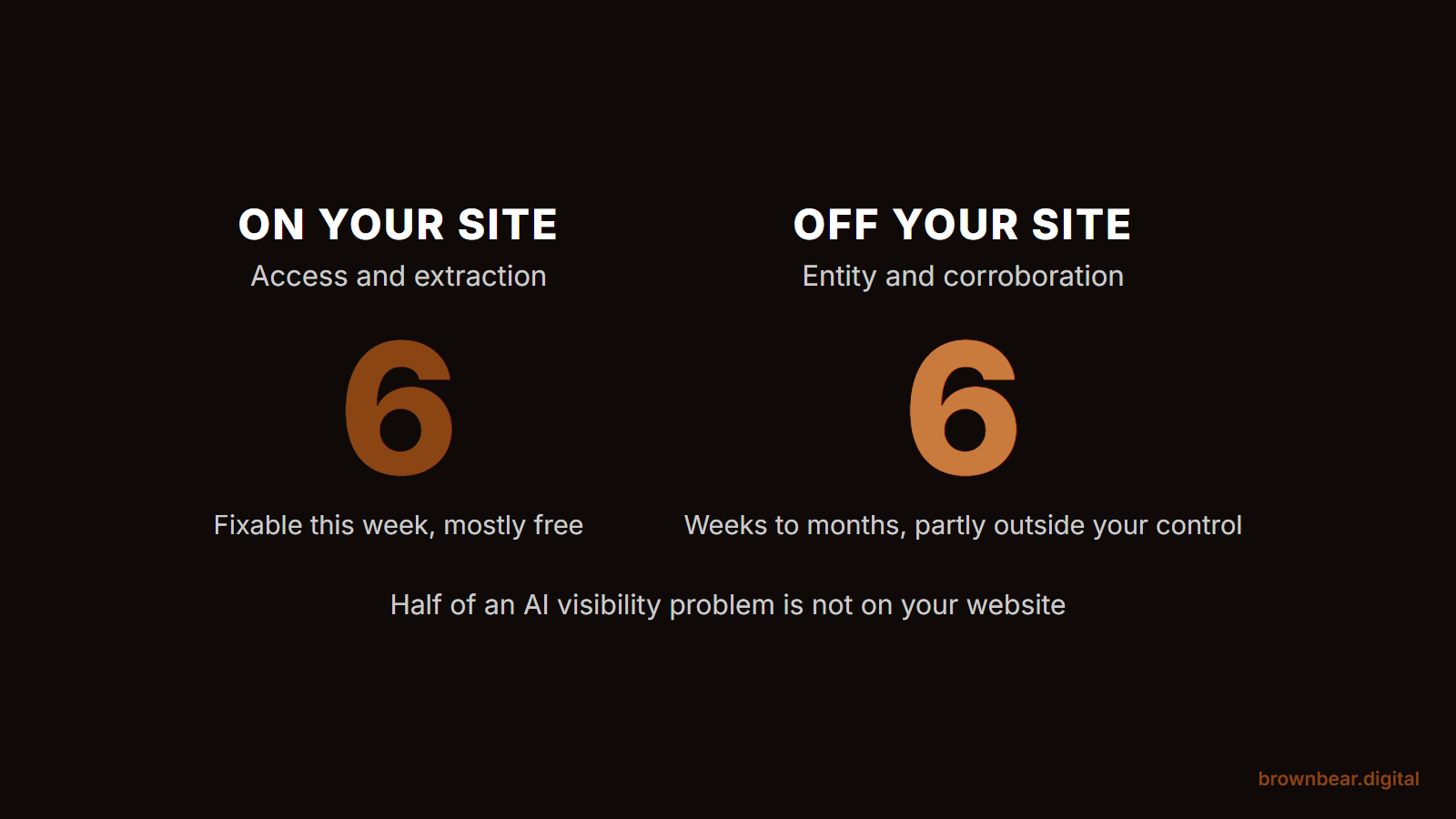
If you failed in access or extraction
This is on-site work and it is largely technical. It is also the half you or your developer can finish without anyone's permission. Fix robots.txt today, settle the rendering question next, then work through the answer placement page by page. The remediation guide covers the how for each.
If you passed access and extraction but failed entity or corroboration
Your site is fine and your problem is off it. That is a different kind of work: slower, mostly outside your direct control, and not fixable by publishing anything. Start with the profiles you can edit, list the ones you cannot, and expect movement in weeks rather than days. If budget is the constraint, we have the same work ordered by what it costs.
- Note the earliest phase you failed and ignore every later failure for now.
- Inside that phase, do the free items first.
- Re-run only the failed checks in two weeks, not the whole audit.
- Re-run the whole audit quarterly, or after any site migration.
If you want the individual moves sorted by impact rather than by audit order, they are ranked by how much they actually move visibility.
17. What This Audit Cannot Tell You
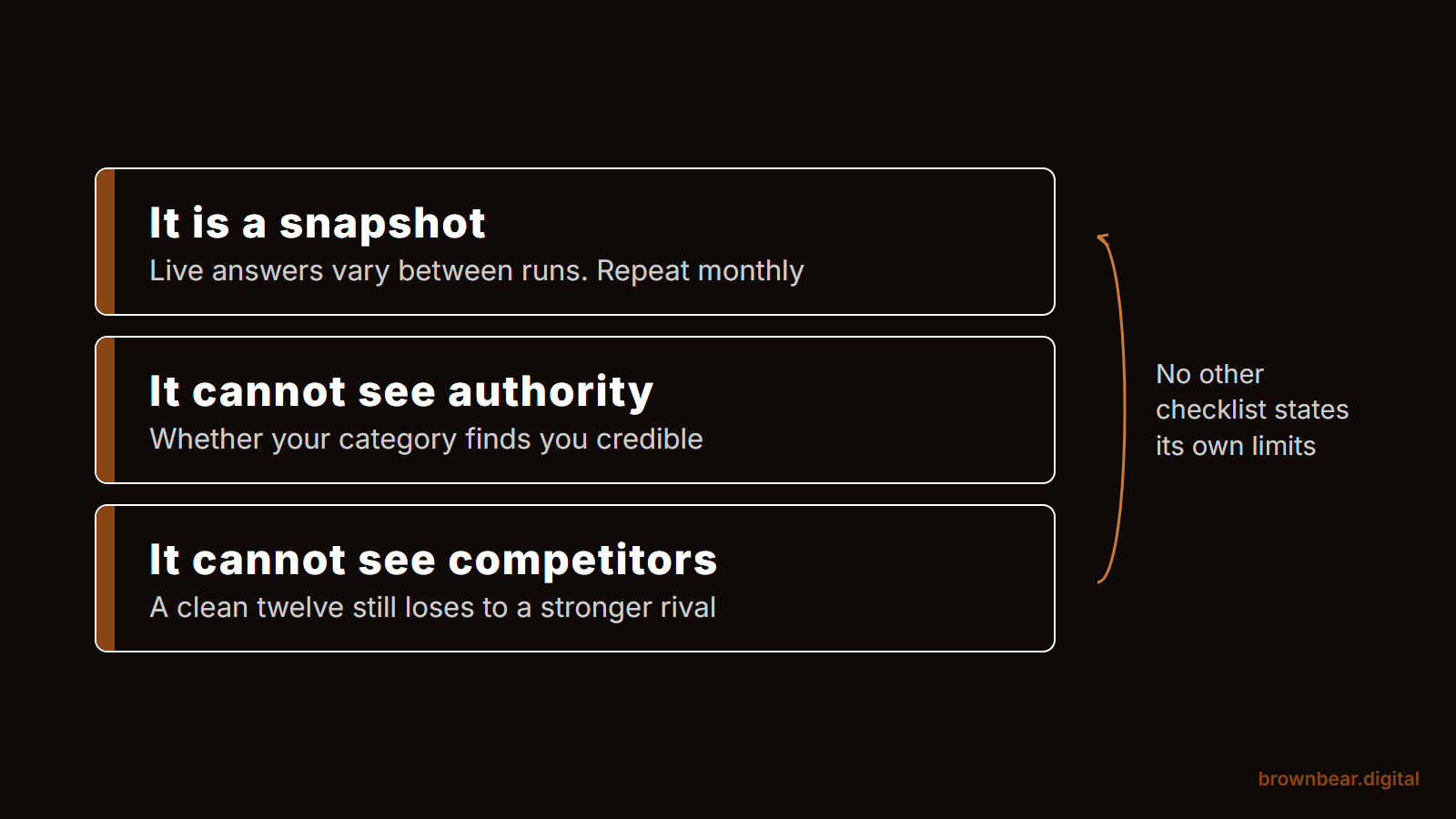
This audit finds mechanical and factual problems. It cannot tell you whether you deserve to be recommended, and it cannot measure your visibility over time from a single run.
Three limits worth stating plainly, because no checklist on this topic states its own.
It is a snapshot. Assistant answers vary between runs and between users, so checks 10, 13 and 14 are one observation each, not a measurement. Run them monthly before drawing a trend.
It cannot see authority. Nothing here measures whether your category considers you credible, which is the slowest and most important input and is not auditable from a browser.
It cannot see the competition. A clean twelve out of twelve still loses to a competitor with the same clean sheet and ten years of third-party presence. The audit tells you whether anything is broken, not whether you are winning.
18. Frequently Asked Questions
How often should I run a GEO audit?
Quarterly for the full twelve, and immediately after any site migration or rebuild. Re-run individual failed checks two weeks after fixing them rather than repeating the whole list.
Do I need a tool to do this?
No. Every check here runs in a browser with free tools, which is the reason the list is twelve items rather than thirty-eight. Tools become worth buying when you have enough locations that manual checking stops being practical.
Should I check structured data?
It is worth keeping tidy, but it is not a gate and it is not in these twelve. Google's documentation states structured data is not required for generative AI search.
Which of the twelve matters most?
Whichever one you failed earliest. The order is the point: a failure in access makes the other nine unreachable, so there is no universal answer.
Can I run this on a competitor?
Checks 1 through 8 and 10 through 14, yes, and it is a useful exercise. Check 9 needs their Google Business Profile as the reference point, which you can see, and check 11 needs to know what they can edit, which you cannot.
19. Work With Brown Bear on AI Search Visibility
Most of what we find in a paid audit is on this list, which is why the list is public. What we add is the part that does not fit in a browser: the profiles nobody remembered creating, the records you have no login to correct, and the same twelve checks run across a dozen locations without anyone losing the thread.
If you have run this and want the failures dealt with rather than catalogued, that is the AI search visibility work we do.
Written By
Founder, Brown Bear Digital
Bryan has 15 years of experience across SEO, paid search, and AI search strategy. He founded Brown Bear to give businesses direct access to senior-level search expertise without the agency overhead.
Learn More About BryanGet Found on Google.
Get Cited by AI.
Tell us about your site. We'll send back a proposal for SEO and AI search.