8 Places Video Belongs on Your Medical Practice Website

Search "video for your medical practice" and you will get the same article fifteen times: a numbered list of video types. Sixteen kinds of video. Ten ways to use it. The lists are not wrong, but they leave you staring at your website, still unsure where any of it should actually go. Here is the truth underneath all of them. The video on your practice website is either earning you patients or quietly turning them away, and which one it does depends almost entirely on where it lives.
At Brown Bear, we build websites for medical and aesthetic practices, so we spend our days watching what actually makes a prospective patient stop, trust a provider, and book. Bryan Passanisi, the agency's founder, has built video into dozens of those sites, and he has a blunt take on why most practice video underperforms: the problem is almost never the video itself. It is where the video sits and what job it was given.
This guide covers both sides of that: the strategy of where each video belongs and why it converts there, and the practical reality of what it costs and where to start without a studio budget.
If you are a practice owner who keeps hearing you "need video" but has no idea where it should go, this is for you. Maybe you have already filmed something polished that is sitting on a single page doing nothing. Or maybe you are the marketing or office manager who got handed the website and a vague instruction to make it more engaging.
By the end, you will know exactly which eight places on your site deserve video, what each one should say, and which to build first. The longer-term payoff is a website that does more of your selling for you, turning quiet browsers into booked consultations while your front desk fields fewer of the same repetitive calls.
We will walk through the pages where video builds trust and sells, your homepage, your team bios, and your procedure pages, then the placements that prove results and dissolve objections, before-and-after journeys, testimonials, and FAQ. From there we will cover the spots that save your team time and warm the handoff, aftercare and consultation pages, and finish with the one mistake that wastes most video budgets and a realistic look at what this actually costs.
So let's start where every visitor starts, on your homepage, and the handful of seconds that decide whether they stay.
Key Takeaways
Placement decides whether practice video converts
The problem with underperforming practice video is almost never the video itself. It is where the video sits and what job it was given. Each clip needs to live on the page where the patient is making that exact decision.
Your homepage gets about three seconds
A short, muted 20 to 30 second hero reel of real footage tells a visitor this is a modern, well-run practice before a single word is read, faster than static photography ever will.
Film your top three to five procedures, not all forty
Procedure explainers are the highest-value placement on the site. A strong 90-second video on each revenue-driving procedure page names the patient's biggest fear out loud and answers it at the moment of decision.
Before you film, name the page and the question
Video with no job is the mistake that wastes most budgets. If you cannot write down the page a video will live on and the one question it answers, do not make it yet.
1. The Homepage: An Ambient Hero Reel
Your homepage has about three seconds to tell a visitor they are in the right place. Static photography does this slowly. A short, muted, looping hero video does it instantly.
This is not a produced commercial. Think 20 to 30 seconds of real footage: the front desk greeting a patient, soft light through the treatment room, a clinician washing up, a calm waiting area. No hard sell, no script. The goal is a feeling, that this is a real, modern, well-run place run by real people. For an aesthetic practice especially, the homepage reel is where "clean, calm, premium" gets communicated before a single word is read.
If a prospective patient is comparing you against two other clinics in the same tab group, the one whose homepage feels alive tends to be the one that gets the call. The reel works alongside the rest of your above-the-fold hierarchy, which we break down in detail in 11 homepage elements that actually book consults.
Because a hero reel autoplays without sound, on-screen text or captions are not optional. They are how the message lands at all, and they keep the video accessible to every visitor, which the W3C Web Accessibility Initiative treats as a baseline standard.
"On a homepage, the video should give a fast, clear overview of who you are as a professional: your credentials, your expertise, and a reason to trust you right away. When it opens with stock footage or a slow brand reel that never gets to the surgeon, the practice is burning the most valuable seconds it has."
Bryan Passanisi, founder of Brown Bear
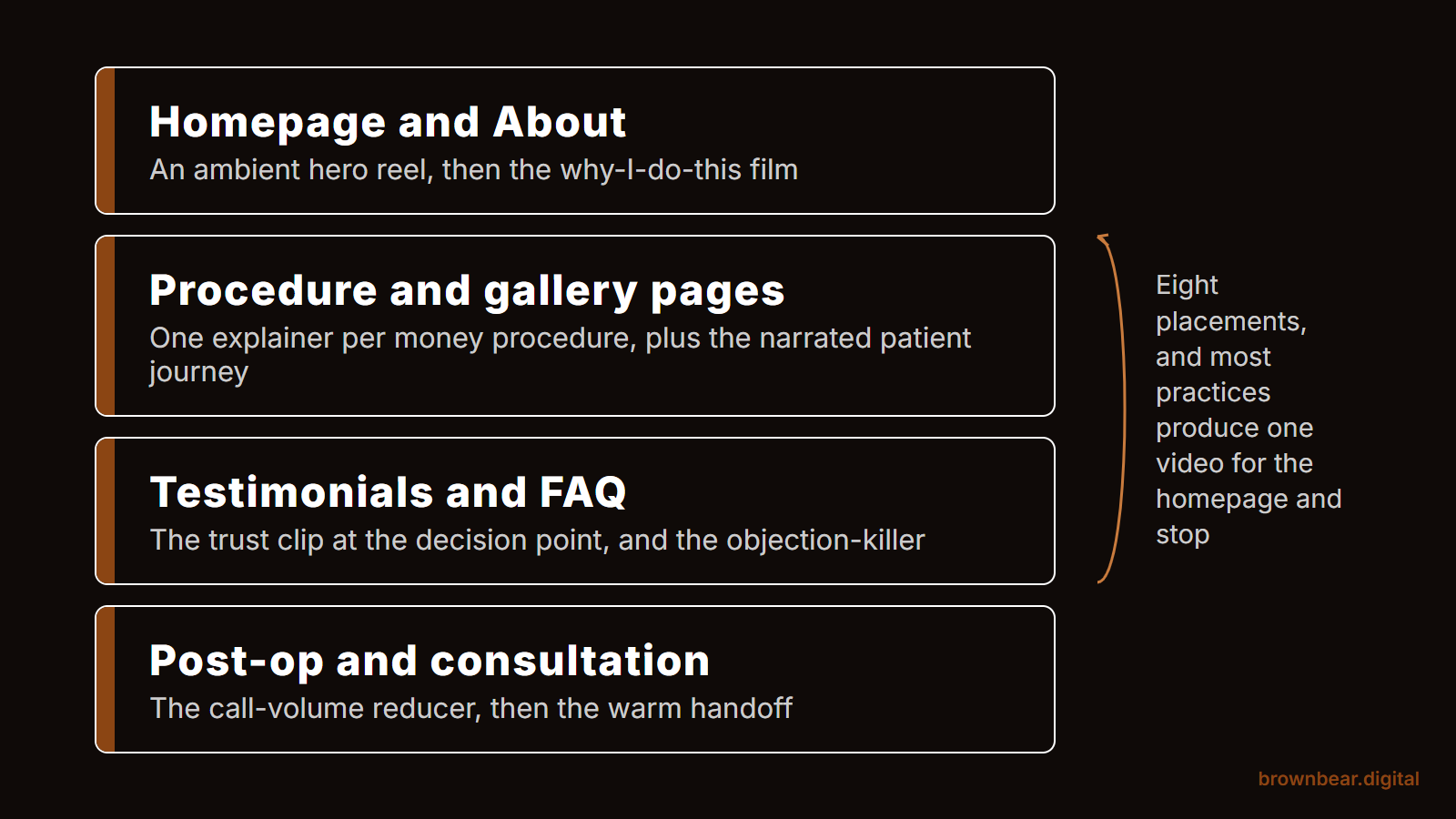
2. About and Meet the Team: The "Why I Do This" Film
Every competitor tells you to make an "about us" video. Almost none of them tell you what it should say. The mistake is treating it like a spoken resume: years of experience, board certifications, schools attended. Patients can read that on the page.
The version that actually builds trust is 60 to 90 seconds of the physician answering one question: why do you do this work? When a surgeon explains, in their own words, what they find meaningful about helping a patient feel like themselves again, the viewer stops evaluating credentials and starts deciding whether they like this person. In elective and aesthetic care, where the patient is choosing a human being to trust with their face or body, that shift is the entire ballgame.
Film each provider individually. A solo "why I do this" clip on each bio page converts better than one group video buried on a single about page. The about page is one of the most underused trust assets on a practice website, and video is what brings it to life.
3. Procedure and Service Pages: One Explainer Per Money Procedure
This is the highest-value placement on the list, and the one most practices get wrong by spreading themselves thin. You do not need a video for all forty services. You need a strong 90-second explainer for the three to five procedures that drive your revenue.
A good procedure explainer does three things: it shows the patient what actually happens (demystifying the fear of the unknown), it sets honest expectations about recovery and results, and it lets the provider speak directly to the most common hesitation. For a lip filler page, that is the fear of looking overdone. For a breast augmentation page, it is the worry about results looking unnatural. The video names the fear out loud and answers it, on the exact page where the patient is deciding. It meets the patient at the exact moment they decide which surgeon to trust.
One agency owner who works with med spas put it bluntly: video is the tool for "grabbing attention and explaining your service." The procedure page is where explaining the service directly turns research into a booked consultation.
It is also the cheapest competitive advantage on this list. When we captured the #1-ranking page for a major procedure search across 101 US city markets, only 23% of the winning procedure pages carried any video at all, against 58% of the winning homepages, and almost none paired it with VideoObject schema. A series of three or four educational videos on your top procedure page would out-asset nearly every #1 in the country.
"Seeing and hearing the surgeon explain the procedure does something a paragraph never will. The patient moves from being introduced to the surgeon to feeling confident that this is the person who can deliver the outcome they have in mind. That shift from curious to confident is what turns a browser into a booked consult."
Bryan Passanisi, founder of Brown Bear
4. Before and After: The Narrated Patient Journey
Most practices treat before-and-after as a static photo grid. For aesthetic and dental work, video does something a grid cannot: it shows the transformation as a story instead of a specimen.
A short narrated journey, the patient describing what they wanted, what the experience was like, and how they feel now, layered over their own progression, accomplishes two things at once. It is your most persuasive proof, and it is your most genuine testimonial, in a single piece of content. The viewer sees the result and hears that a real person was happy with the process that produced it. It is the same conversion logic behind a well-built before-and-after gallery, with the added weight of the patient's own voice.
Video on the gallery is closer to standard than most practices assume, and the markup around it is not. Our 50-procedure study of ranking gallery pages found 77% of them carrying video somewhere on the page and 1% marking it up with VideoObject. Publishing the journey is now table stakes. Telling search engines and AI systems what they are looking at is still an open lane.
A practical note: this is the placement with the strictest consent and compliance requirements. Get written, specific video release consent, and confirm your approach against the patient privacy rules enforced by the U.S. Department of Health and Human Services before anything goes live. The trust you are building depends on getting this part exactly right.
5. Testimonials: The Trust Clip at the Decision Point
Written reviews are easy to fake and everybody knows it. A patient on camera, in their own voice, is not. A 30 to 45 second testimonial clip carries more weight than a wall of five-star text because the viewer can see that the person is real and that the emotion is genuine.
Placement is everything here. A testimonial video does the most work when it sits next to a decision, on the procedure page near the booking button, on the consultation page, in the booking flow itself, not exiled to a "reviews" tab that few visitors open. As one marketer working with a healthcare service described it, the fix that moved the needle was not more traffic, it was to "fix your landing page, use clear headlines, and add testimonials with real photos." Put the proof where the choice happens. Keep it compliant while you do: the Federal Trade Commission's endorsement guides require testimonials to reflect honest, typical results, which in aesthetic care means pairing real stories with clear disclaimers.
6. FAQ: The Objection-Killer (And the Affordable Option)
Your front desk answers the same ten questions every week. Does it hurt? How long is recovery? How much does it cost? Filming the provider answering those questions on camera does two jobs: it resolves objections before a patient ever calls, and it makes your practice the trustworthy source of the answer instead of a forum thread.
Here is something the listicles will not tell you, because it cuts against the "hire a video crew" pitch: you do not need a studio to start. Practices are now using AI presenter tools to produce clean, consistent FAQ videos at a fraction of traditional production cost. One marketer reported using AI talking-head video for client FAQ sections with good results and noted it was "really not that expensive." For a budget-conscious practice, that is a legitimate on-ramp, especially for straightforward, factual answers where a polished human-shot film is not essential.
7. Post-Op and Aftercare: The Call-Volume Reducer
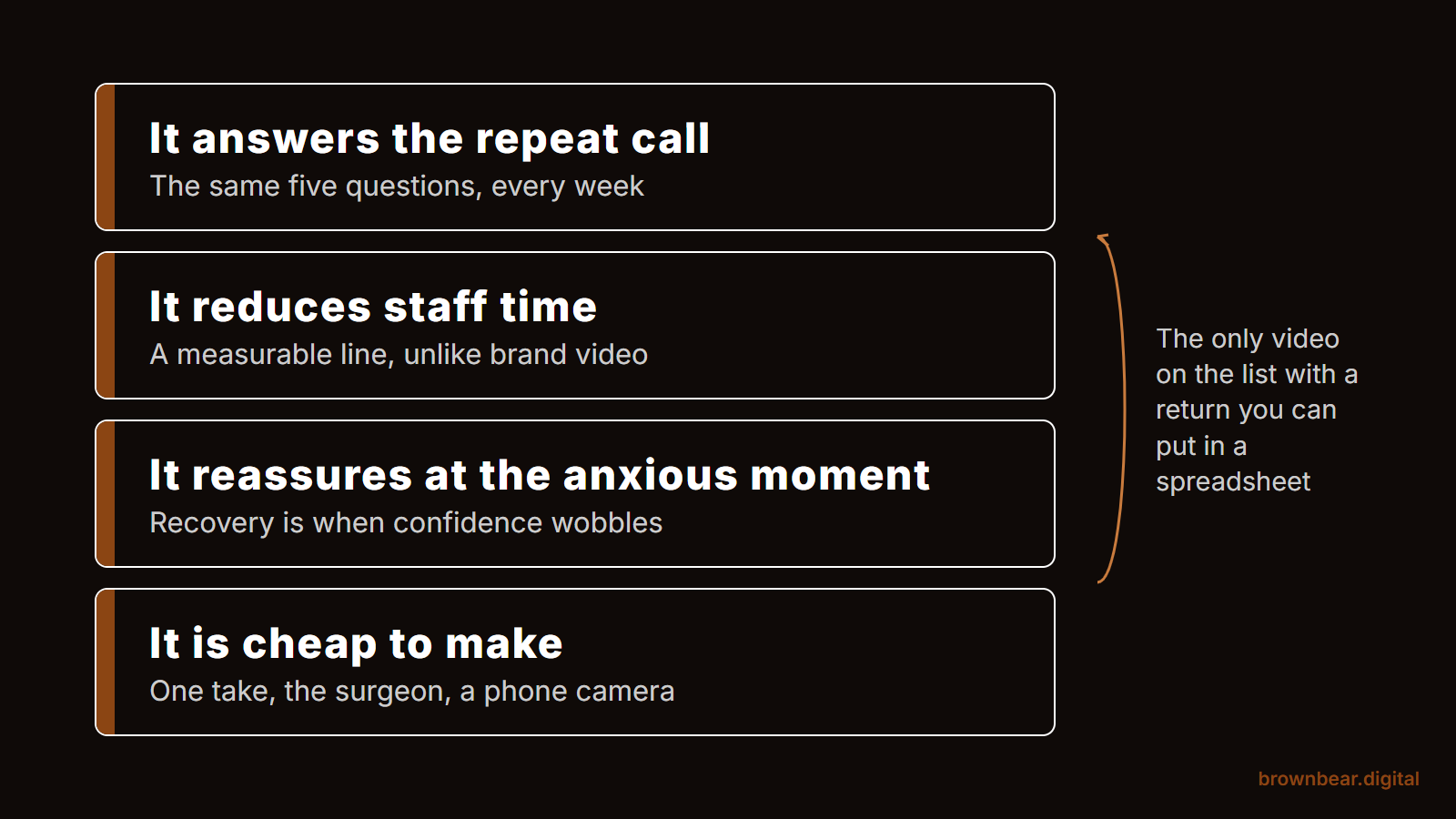
This placement does not win you new patients. It saves your staff hours and improves outcomes, which is its own kind of return.
A clear aftercare video, what to do in the first 24 hours, what is normal, what is not, when to call, gives anxious post-procedure patients something to rewatch at 9 p.m. instead of phoning the on-call line. It reduces repetitive calls, improves compliance with recovery instructions, and signals a level of care that patients remember and refer. Place it on the procedure page, in the post-visit email, and in the patient portal.
"The two shifts I can actually measure are time on page and call volume. People who watch stay longer, which is higher-quality engagement that carries a real search benefit. And when we build FAQ-style videos that answer the questions people usually phone in about, the front desk fields fewer of those calls, because the answer is already sitting on the page."
Bryan Passanisi, founder of Brown Bear
To hold video accountable, track it against the metrics that actually matter for a practice, not vanity view counts.
8. Consultation and Thank-You Pages: The Warm Handoff
A patient who just booked a consultation is excited and slightly nervous. The thank-you page is a wasted opportunity at most practices, a bland "we will be in touch." Put a 30-second "what to expect at your consultation" video there instead.
The clip tells them who they will meet, what will happen, and what to bring. It lowers no-show rates by reducing pre-appointment anxiety, and it starts the relationship warmly before the patient has set foot in the building. The same video belongs in your booking confirmation email.
The One Mistake That Wastes Every Video You Make
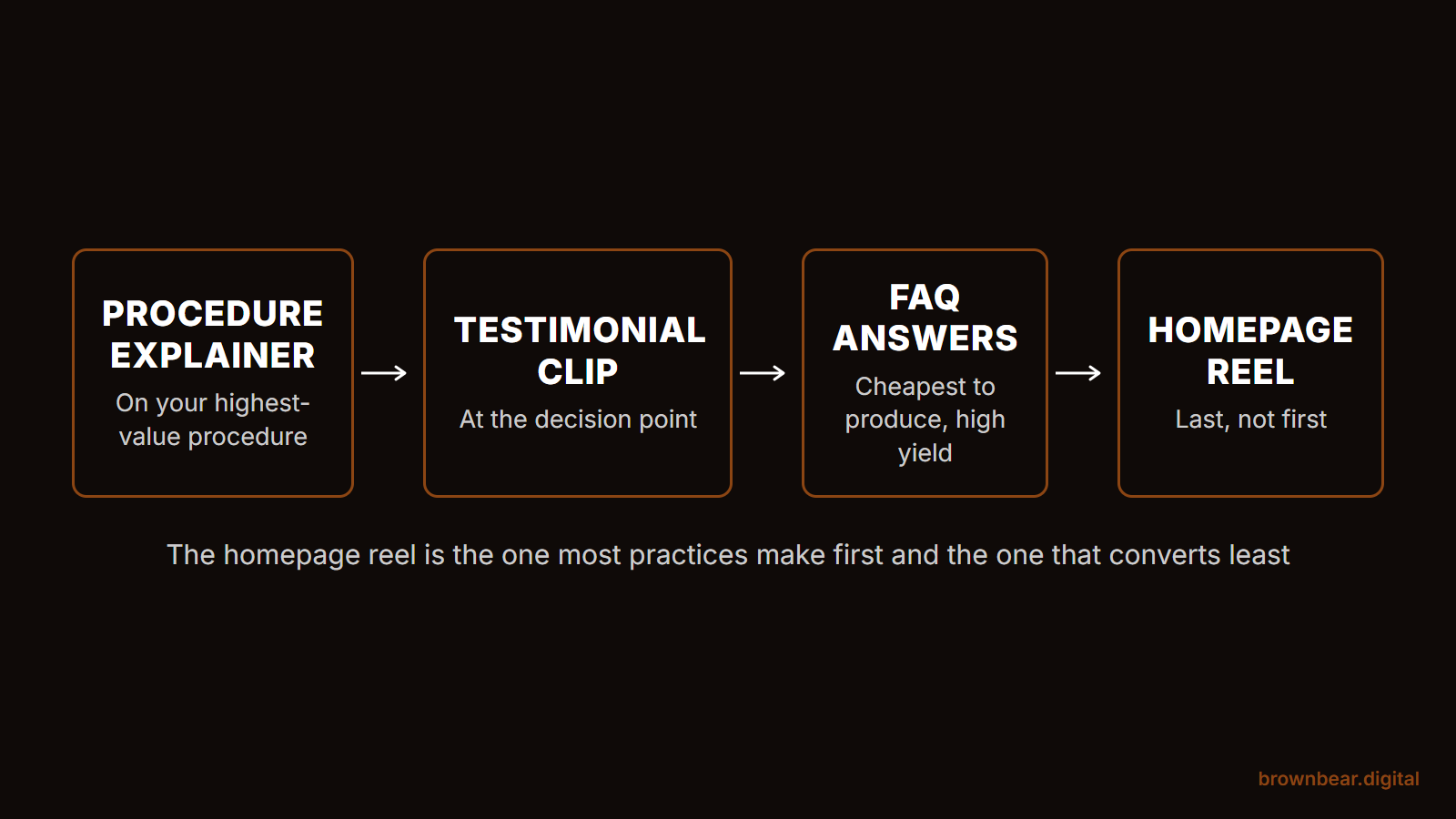
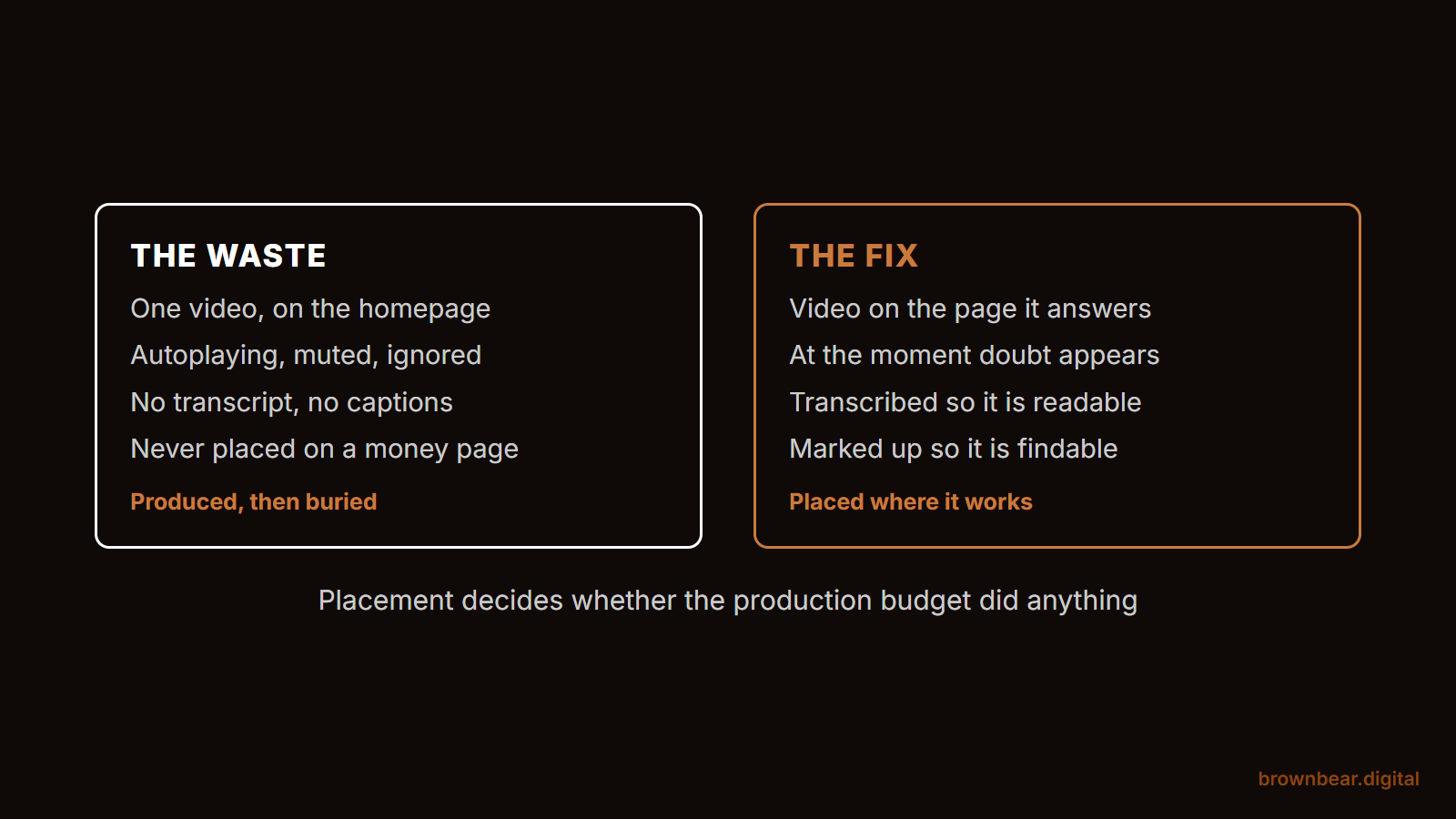
If there is a single reason practice video fails, it is this: the video has no job. It was made because someone said "we should have video," posted to a YouTube channel nobody visits, and left to collect dust away from any page where a decision is being made.
Marketers who do this for a living are blunt about it. Scattered video, mixed-purpose channels, content with no clear placement, actively erodes trust rather than building it. The practices that win do the opposite: each video has one job, lives on one page, and speaks to one moment in the patient's decision. Purpose beats volume every time. Three videos placed with intent will outperform thirty made for the sake of having them.
"The most common mistake is chasing production perfection instead of getting the information out in a format people will actually watch. Practices get hung up on lighting, retakes, and polish, so the video either ships late or never ships at all. A clear, useful video shot on good-enough gear beats a perfect one that stays in a folder."
Bryan Passanisi, founder of Brown Bear
There is a second version of this mistake, and it is the opposite trap: treating each video as a one-off. You post it to a single page and stop. No central library, no channel, nothing that makes the content findable beyond that one URL. That throws away the search and discovery upside, because once your videos live on an optimized YouTube channel they start pulling in new patients who found you through that content rather than through the site directly. Treated this way, video stops being a one-off and becomes part of a real content strategy. The fix for both traps is the same: every video needs a home where it converts and a system that makes it findable.
Before you film anything, write down the page it will live on and the one question it answers. If you cannot name both, do not make it yet.
What This Actually Costs, and Where to Start
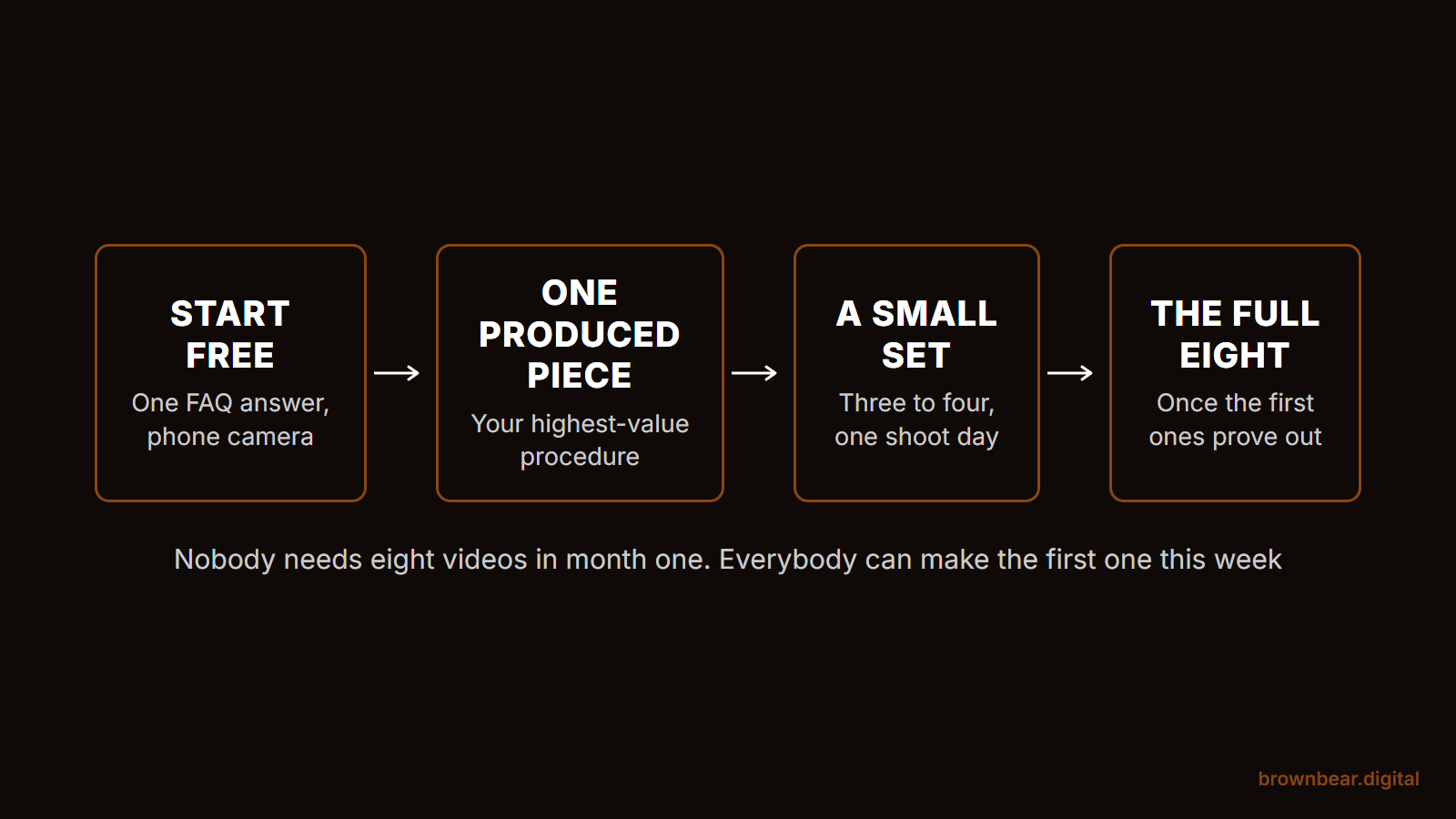
The honest answer practice owners rarely get: you do not need to film all eight at once, and you do not need a five-figure production budget to begin. Here is a realistic phased approach.
| Phase | What to make | Why first |
|---|---|---|
| Start (lowest lift) | One homepage hero reel plus one "why I do this" film per provider | Sets the tone and builds personal trust sitewide |
| Build (highest ROI) | Explainers for your top 3 to 5 revenue procedures | Directly turns page visits into consultations |
| Scale | Testimonials, before-and-after journeys, FAQ, aftercare | Deepens proof and saves staff time once the foundation works |
Costs range widely. A professionally produced homepage reel and provider films are a one-time investment that serves you for years. FAQ content can start with affordable AI presenter tools and graduate to filmed versions later. The point is not to spend the most. It is to place each piece where it earns its keep. If your site is already getting traffic but not converting it, video is often the missing trust layer, a problem we cover in why practice websites fail to convert consultations.
References
-
Federal Trade Commission. (2024). The FTC's Endorsement Guides: What People Are Asking. Federal Trade Commission. https://www.ftc.gov/business-guidance/resources/ftcs-endorsement-guides-what-people-are-asking
-
U.S. Department of Health and Human Services. (2024). HIPAA for Professionals. HHS.gov. https://www.hhs.gov/hipaa/index.html
-
W3C. (2023). Captions, Transcripts, and Audio Descriptions. W3C Web Accessibility Initiative. https://www.w3.org/WAI/media/av/captions/
Related reading: Plastic Surgeon Homepage: 11 Elements That Actually Book Consults · Plastic Surgeon About Pages: The Most Underused Trust Asset on Your Website · Plastic Surgery Before and After Galleries · Plastic Surgery Website Design in 2026
Ready to Put Video to Work on Your Practice Website?
Knowing where video belongs is the strategy. Building a site that showcases it, fast-loading, mobile-first, with each clip placed exactly where patients make decisions, is the execution, and it is what Brown Bear Digital does for medical and aesthetic practices every day. Our web design services and conversion rate optimization cover the full scope of turning a good-looking site into one that books consultations. Get in touch and we will map out where video will work hardest on your site.
Written By
Founder, Brown Bear Digital
Bryan has 15 years of experience across SEO, paid search, and AI search strategy. He founded Brown Bear to give businesses direct access to senior-level search expertise without the agency overhead.
Learn More About BryanGet Found on Google.
Get Cited by AI.
Tell us about your site. We'll send back a proposal for SEO and AI search.