Why So Many Plastic Surgery Websites Trip Up AI, and Why the Flashiest Builds Fare Worst
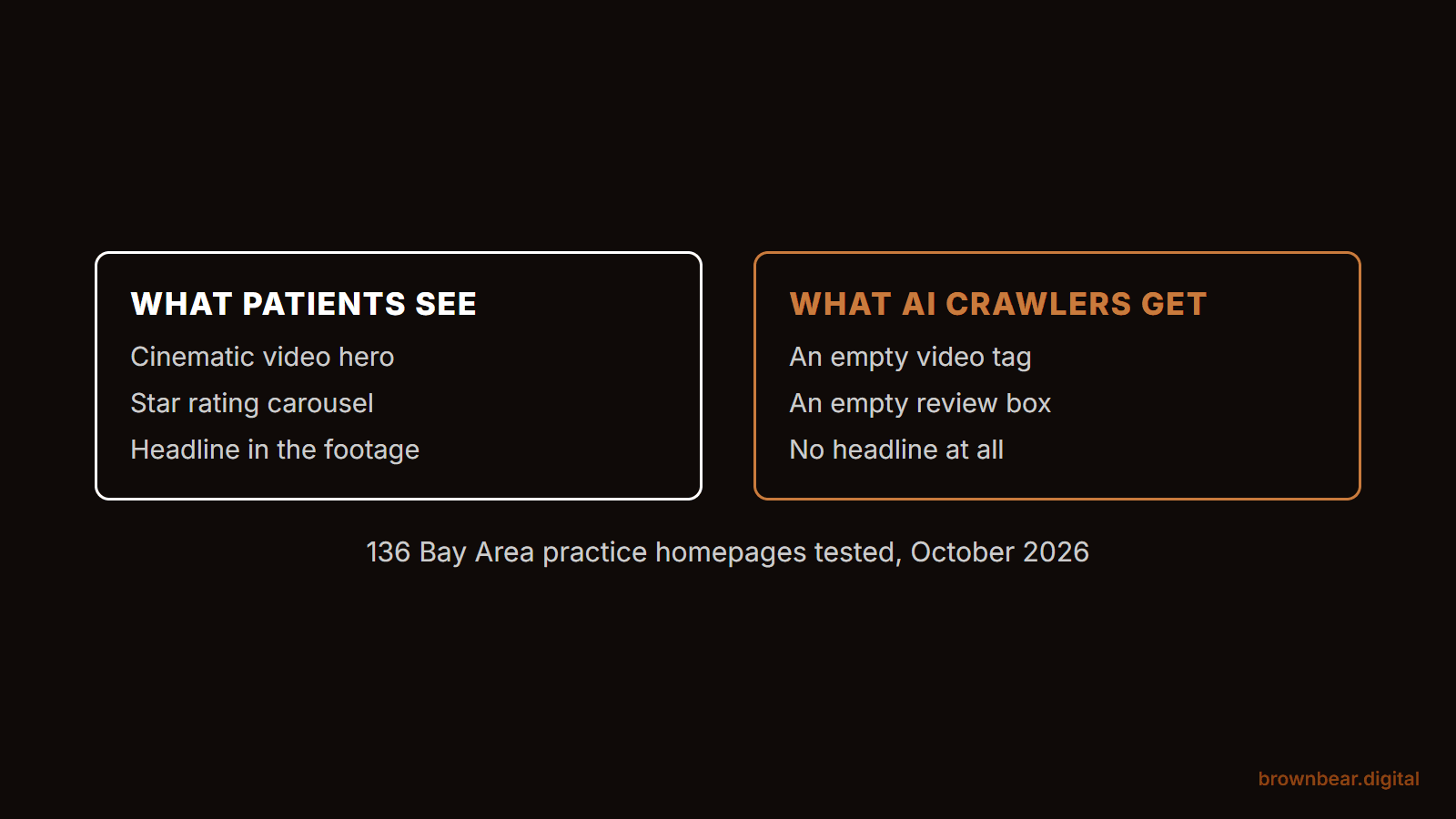
A plastic surgery website can win a design award and still hand ChatGPT almost nothing useful. The cinematic video, the scroll animations and the glossy review carousel are built for a patient's eyes. The crawlers that feed AI answers read something else entirely: the raw HTML your server sends back, usually without running any of the JavaScript that makes the page move.
This is Brown Bear's field report on what AI systems actually receive from plastic surgery websites, and why so many practices are paying for features that work against them. It is built on a study we ran in October 2026 on 136 Bay Area and Northern California practice homepages. We fetched each one twice: once the way a patient's browser sees it, and once the way an AI crawler does. Our read on what it means comes from Brown Bear Digital's work in search marketing for plastic surgery practices, and from founder Bryan Passanisi, who rebuilds practice sites and routinely strips large amounts of JavaScript out of them.
When we say AI, we mean both the search crawlers that build the indexes behind ChatGPT search, Claude and Perplexity, and the assistants that open a page while a patient waits. They behave differently, and a site can fail one while passing the other.
If you paid for a luxury redesign in the last few years and keep hearing that AI never mentions your practice, this is likely part of why. If you are the practice manager who owns the relationship with the web agency, you will come away with specific questions to put to them. And if a redesign proposal is sitting on your desk right now, you can use this to decide which of its features are worth the money.
By the end you will know what an AI crawler receives from your homepage, which of five failure patterns your site has, and the contract language that keeps the next redesign from repeating them. We cover it in four parts: how AI crawlers read a practice site, what our test found, the five patterns behind the failures, and what to require from your next web builder.
The fastest way in is the question most surgeons never think to ask: what does an AI crawler actually get when it visits your website?
What an AI Crawler Receives When It Visits Your Practice Website
An AI crawler receives your page's raw HTML and, in most cases, nothing more. The crawlers behind OpenAI, Anthropic and Perplexity fetch the HTML your server sends and read the text inside it. They do not run JavaScript, so any content your site builds in the browser after the page loads never reaches them.
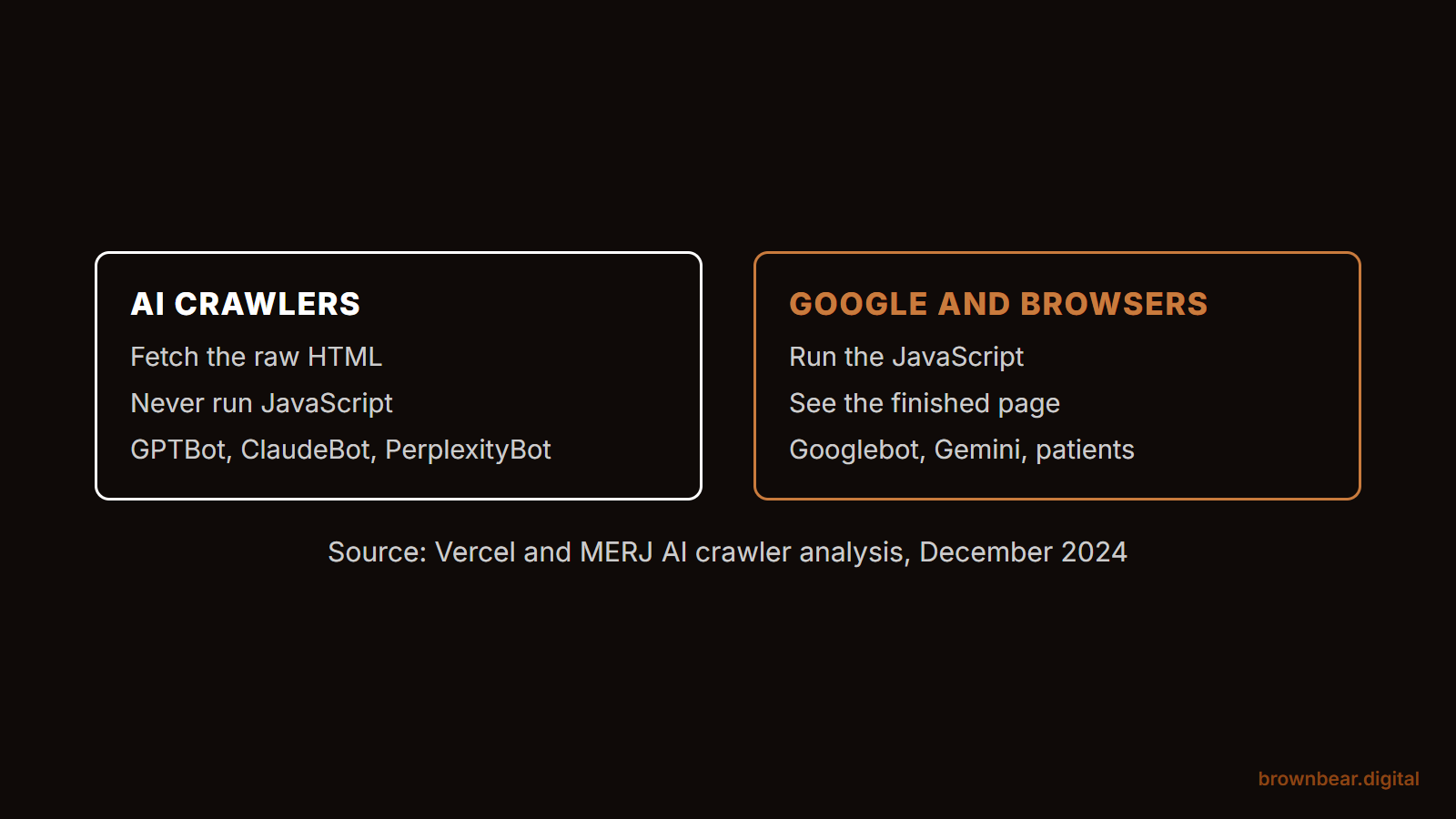
The clearest measurement comes from Vercel and MERJ's analysis of AI crawler traffic, which found that none of the major AI crawlers rendered JavaScript, including OpenAI's GPTBot, OAI-SearchBot and ChatGPT-User, Anthropic's ClaudeBot and PerplexityBot. ChatGPT's and Claude's crawlers did download JavaScript files, but they never executed them. The two exceptions were Google's Gemini, which uses Googlebot's rendering, and Applebot.
Google renders JavaScript, but it does so in a second pass. Even so, its own JavaScript SEO guidance still recommends server-side rendering or pre-rendering because, in Google's words, not all bots can run JavaScript. That sentence is the whole problem for a practice website in 2026. The bots that cannot run JavaScript are now the ones answering patients' questions.
Assistants that browse on a patient's behalf are a partial exception. Agent tools such as ChatGPT agent, agent mode in OpenAI's Atlas browser and Claude in Chrome can work a site through a real browser, seeing the rendered page and clicking the way a person would. They also fetch pages while someone waits for an answer, so a slow or stalled page risks being skipped or only partly read. That is where heavy builds cost you in a different way.
What We Found Testing 136 Bay Area Plastic Surgery Homepages
More than a third of the practice sites we tested had at least one problem that keeps AI crawlers from reading them properly. The surprise was where the problems sat. The page copy itself was usually fine. What failed was the plumbing around it: firewalls, review widgets and headlines that only exist as video.
We pulled each homepage on Brown Bear's practice list as a plain HTML fetch with no JavaScript, which is how GPTBot, ClaudeBot and PerplexityBot read a page. Then we loaded it again in a full Chrome browser. We compared the two, re-tested every crawler block with spaced requests and a browser control, and measured how much JavaScript each page loaded. 130 sites answered a normal browser request, and 123 rendered cleanly enough to compare.
| What we measured | Result |
|---|---|
| Sites with at least one crawler-facing problem: AI crawlers refused, reviews hidden in a widget, no headline in the HTML, or a bot wall | 48 of 130, 37% |
| Sites that refused at least one AI crawler at the server while serving a browser normally | 20 of 130, about 1 in 7 |
| Sites blocking GPTBot or OAI-SearchBot in robots.txt | 0 of 125 |
| Median share of visible homepage text present in the raw HTML | 94% |
| Homepages loading ratings or patient testimonials only through JavaScript | 12 of 123, 10% |
| Homepages with no H1 headline in the raw HTML | 19 of 123, 15% |
| Median JavaScript loaded by a practice homepage | 1.1 MB, about 1.8 times the typical desktop page |
| Homepages built with motion libraries, scroll effects or background video | 84 of 123, 68% |
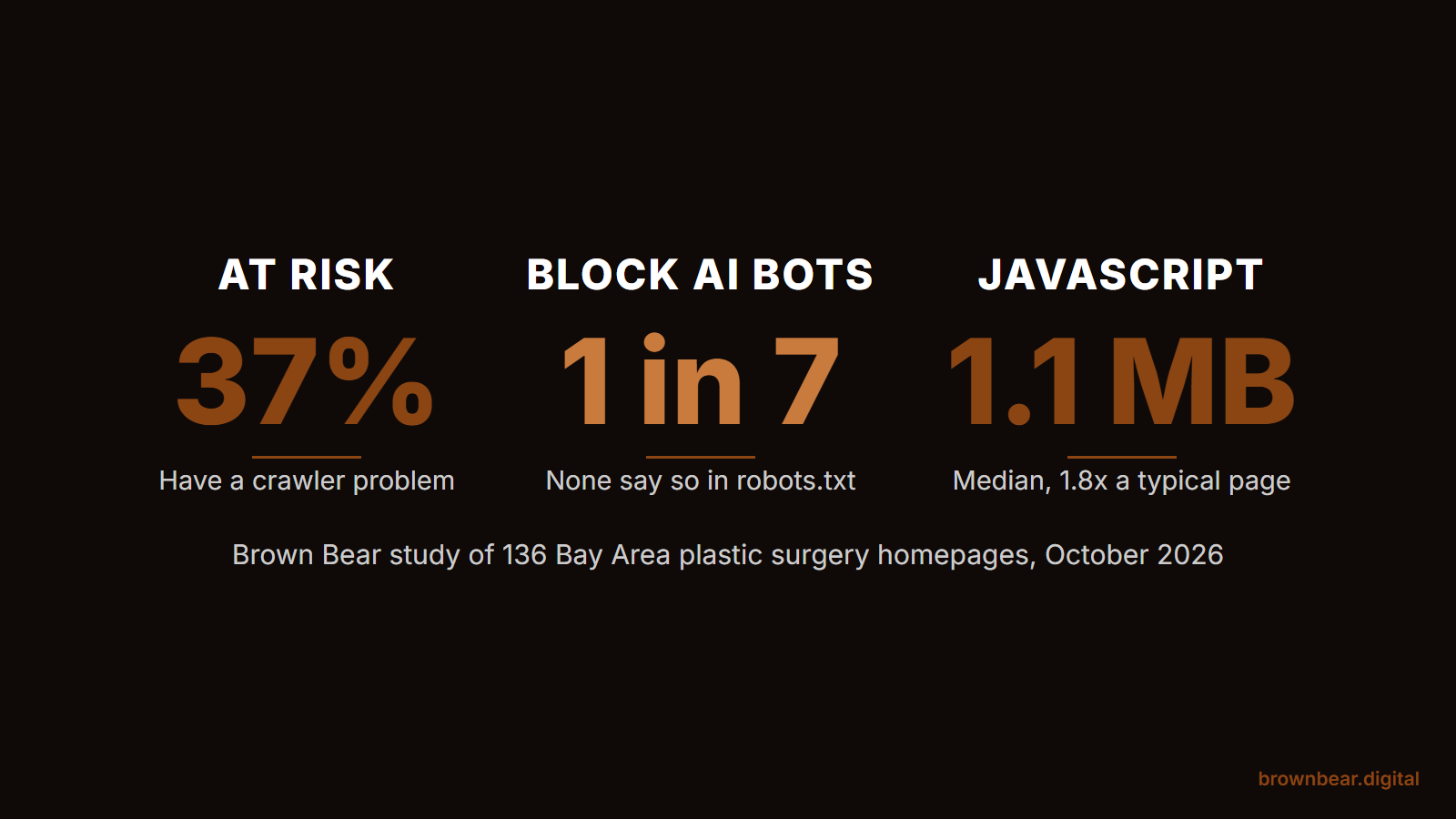
The JavaScript comparison uses the 2024 Web Almanac, which puts the median desktop page at 613 KB of JavaScript. Practice homepages in our sample ran a median of 1,102 KB, and 18 of them loaded more than 2 MB. Two limits are worth knowing. We tested homepages only, and our crawler requests came from a normal connection rather than the crawlers' own networks, which matters for one of the findings below. Practices are reported in aggregate; we do not name any site.
Bay Area Benchmark
How does your homepage compare to 136 practice sites?
Answer what you know. Skip what you don't. Your answers are compared against the practice homepages in our October 2026 study.
How much JavaScript does your homepage load?
In Chrome, open developer tools, choose Network, filter to JS and reload. The total is at the bottom.
Does your firewall or host allow AI crawlers such as OAI-SearchBot and ClaudeBot?
Is your star rating visible in View Page Source?
Is your homepage headline in View Page Source as text?
For information only, and not a guarantee of how any AI system treats your site. Comparisons use homepages only, from one regional sample, measured in October 2026. Nothing you enter leaves your browser.
Why the Flashiest Plastic Surgery Websites Fare Worst
The motion-heavy builds that agencies sell as premium do worse on almost every measure that affects machines, even though their copy usually still reaches the HTML. They load nearly twice the JavaScript, they are more likely to put the headline somewhere a crawler cannot read it, and they take much longer to settle into a usable page.
| Homepage measure | Motion-heavy builds, 84 sites | Simpler builds, 39 sites |
|---|---|---|
| Median JavaScript loaded | 1,183 KB | 671 KB |
| More than 1 MB of JavaScript | 58% | 38% |
| More than 2 MB of JavaScript | 16 sites, 19% | 2 sites, 5% |
| No H1 headline in the raw HTML | 18% | 10% |
| Median time for the page to settle in a browser | 9.4 seconds | 5.9 seconds |
| Median share of visible text in the raw HTML | 93% | 95% |
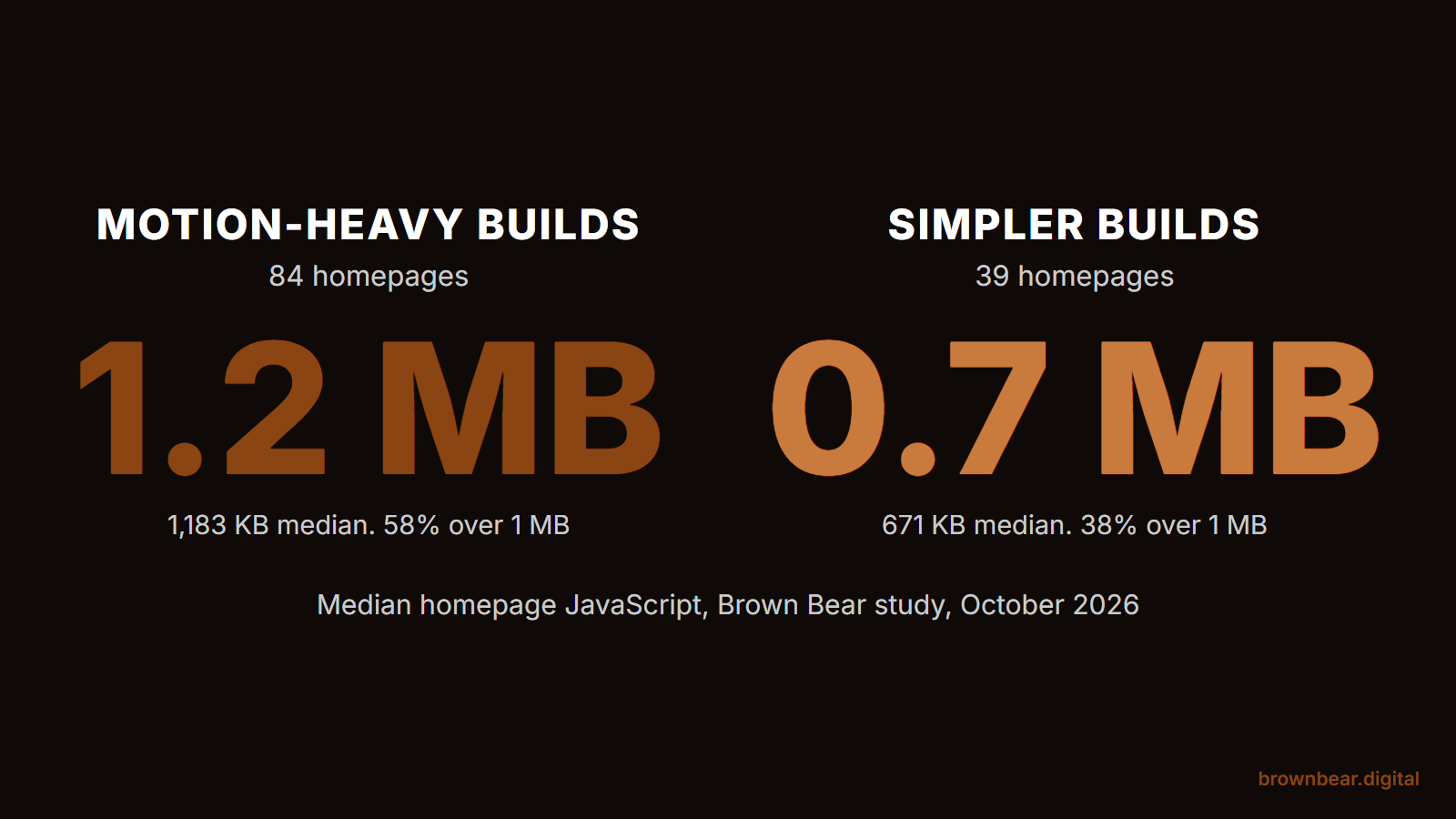
We counted a build as motion-heavy when it loaded an animation or smooth-scroll library such as GSAP, Lenis or Lottie, used page-transition or scroll-reveal effects, showed a preloader, or ran a background video. All four of the heaviest homepages in the sample were motion builds.
The last row matters as much as the others, because it busts the most common myth. A reveal animation does not hide your text from AI crawlers. On 49 of the sites we tested, at least five blocks of text started invisible and faded in on scroll. That text was still sitting in the HTML for any crawler to read. The motion is not what makes a site invisible. What makes it invisible is what the motion tends to come bundled with.
Picture a surgeon who paid an agency for a homepage that opens on a 20-second drone video over the bay, with the practice's promise written into the footage in elegant white type. To a patient it feels like a luxury brand. To an AI crawler the hero is an empty video tag and a menu, because the headline exists only as pixels in the video, and the page carries no H1 at all. The design did exactly what it was sold to do and still left the most important sentence on the site unreadable to every system that summarizes it.
Bryan's view, from rebuilding these sites, is that the agency pitch has the order backwards. The first job of a practice homepage is to state clearly, in text, who the surgeon is and what they do. Motion is decoration on top of that, and decoration should never carry the load.
The Five Failure Patterns Behind Invisible Practice Sites
The failures in our sample fell into five patterns. A site can have more than one, and the fixes differ, so it helps to know which ones are yours.
1. A Firewall That Turns AI Crawlers Away
About 1 in 7 practice sites refused at least one AI crawler at the server level while serving the same page to a browser. Fifteen turned away GPTBot, fifteen turned away ClaudeBot, six refused PerplexityBot, and five refused OAI-SearchBot, the crawler OpenAI uses to surface websites in ChatGPT's search features. Five sites refused every AI crawler we tried and showed automated browsers a "confirm you are human" wall.
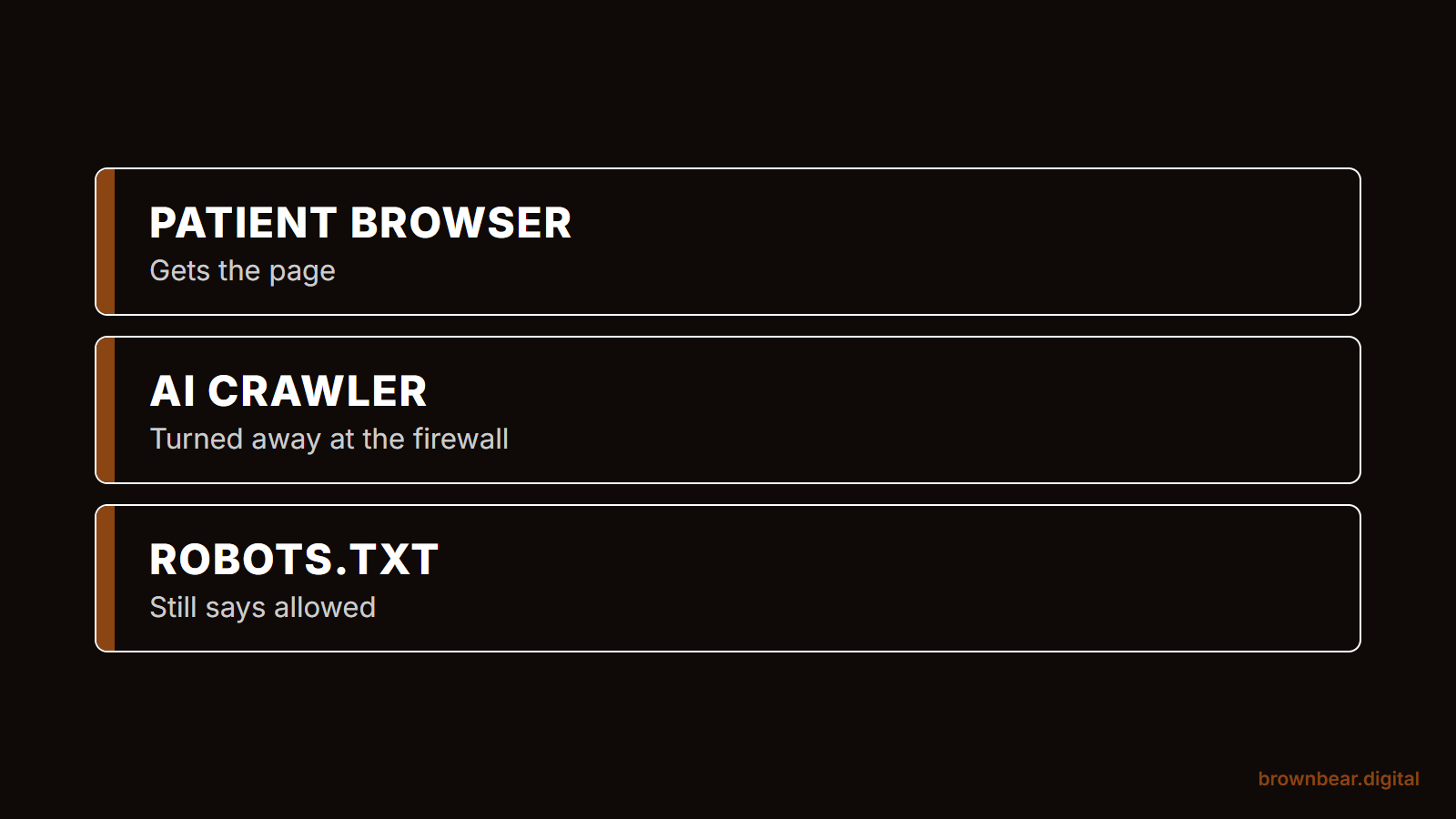
None of these sites blocked GPTBot or OAI-SearchBot in robots.txt, the file where a deliberate choice would normally be recorded. That points to settings rather than decisions: a hosting company's bot protection, a security plugin, or a content delivery network's AI-crawler setting switched on by default. Cloudflare has also been moving its defaults: since July 2025 it asks every newly added domain whether to allow AI crawlers, starting from a block, and since September 2026 it blocks AI training and agent crawlers by default on ad-supported pages for new and free-plan sites. Eight of the 20 refusing sites in our sample ran on Cloudflare.
One caveat cuts both ways. Our requests announced themselves as each crawler but came from our own connection, and Cloudflare can treat a verified crawler from its real network differently from an impersonator. On the 12 refusing sites that were not on Cloudflare, the rule keyed on the crawler's name, which the real crawler sends too.
The fix depends on where the block lives. If your site runs on Cloudflare, log in and check the AI crawler and bot settings. Allow the search crawlers, such as OAI-SearchBot, Claude-SearchBot and PerplexityBot, even if you choose to keep training crawlers out. If your site sits on a managed host that walls automated visitors, the setting is usually on the host's side, so ask them which bot rules they apply. If it is WordPress with a security plugin, the bot or rate-limiting rules inside the plugin are the first place to look. Our guide to letting AI crawlers through your firewall and robots.txt walks through the exact user agents, and if you would rather have someone check every layer for you, that is what an AI crawler access audit covers.
Say your practice moved to a new host last spring and the agency switched on its bot protection to cut spam. Nobody wrote it down, because nobody thought of it as a marketing decision. Eighteen months later, the practice manager is asking why ChatGPT recommends the surgeon across town and never yours, and the answer is a checkbox nobody remembers ticking.
2. Reviews That Only Exist Inside a Widget
One in ten practice homepages loaded their ratings or patient testimonials only through JavaScript, which means AI crawlers never see them. Of the 42 homepages that displayed a star rating or review count, 4 showed it only after scripts ran. In the raw HTML, those review sections were empty containers.
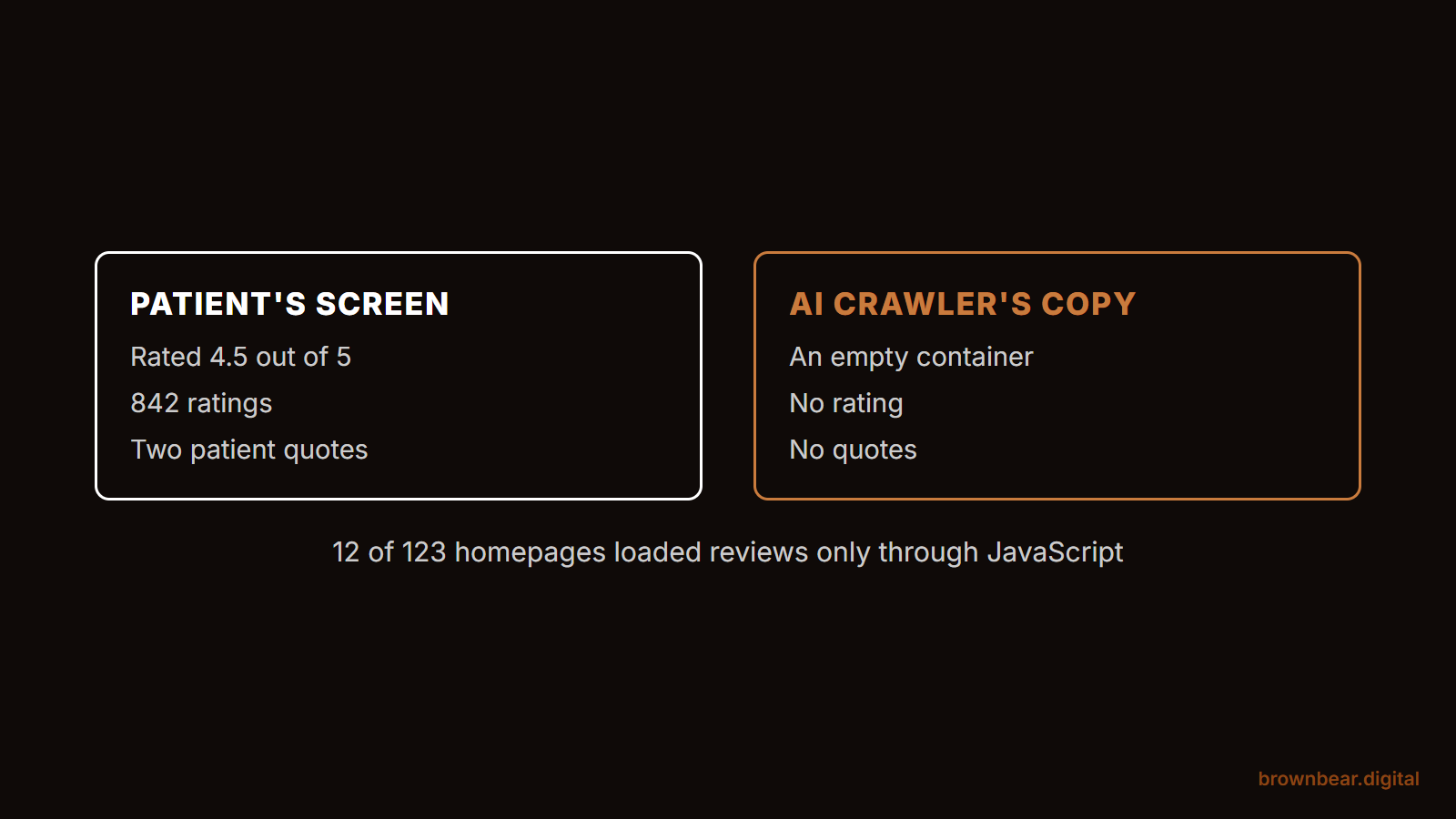
This one stings, because reviews are among the clearest signals AI systems use when a patient asks who is good at a procedure. One homepage in our sample displays a 4.5 rating across more than 800 ratings to every patient who visits; an AI crawler reading the same page gets none of it. The good news is that 51 of the sites carried review schema in their raw HTML, so the fix is well understood. Render at least your aggregate rating and a few recent reviews in the page's HTML, and let the widget enhance them rather than create them.
If your reviews come from a third-party widget, ask the vendor whether it offers a server-rendered or static embed, or have your developer output the rating and a handful of reviews in the page template. If you already show reviews in plain HTML, your effort is better spent on the reviews themselves, and our guide to building a review program that AI and patients both read covers where that effort pays.
3. A Headline That Lives in a Video or a Slider
Fifteen percent of the homepages we tested had no H1 headline in their raw HTML. A third of homepages used background video, and more than half used a slider. When the headline is part of the video, an image or a slide that JavaScript assembles, the one sentence that tells a machine what the page is about goes missing.
The fix costs nothing in design terms. Put the headline in real text, as an H1, layered over the video or the first slide. The patient sees the same thing. The crawler finally gets the sentence.
4. JavaScript Weight That Slows Every Visitor Down
Half of the practice homepages we tested loaded more than 1 MB of JavaScript, and the motion builds took a median of 9.4 seconds to settle in a browser. Weight does not hide text from crawlers that skip JavaScript. It hurts the visitors who do run it: patients on phones, Google's renderer, and the browsing agents that now compare practices for patients.
Those agents are the reason weight matters more each year. When a patient asks an assistant to find three surgeons and request a consultation, the assistant has to load and read each site while the patient waits, and a page that stalls makes that harder. We cover how that works in our piece on AI agents that shortlist and book surgeons for patients.
Bryan's habit on rebuilds is to treat every script as guilty until proven useful. Sliders nobody advances past the first slide, animation libraries loaded for a single fade, three analytics tools that report the same numbers: these come off first, and the page gets faster without losing anything a patient would notice.
5. Content That Is Built in the Browser
The rarest pattern in our sample is also the most severe. A handful of practice sites were built as JavaScript applications, where the server sends a nearly empty shell and the browser assembles the page. Tabs and accordions that fetch their contents on click, pricing estimators and "load more" galleries work the same way on a smaller scale. To a crawler that skips JavaScript, whatever arrives later does not exist.
We know how easily this creeps in because we found a version of it on our own site. Brown Bear's site is built on Next.js. Search Console showed that 53% of Googlebot's requests over three months went to the framework's background data files rather than to our pages, so we blocked those files in robots.txt in October 2026. The site still uses animation on nearly every section. Every word of text is server-rendered, which is why the motion costs us nothing with crawlers. If your site has this pattern, our guide to fixing JavaScript rendering on medical websites walks through the options for the platforms practices actually use.
Fix What You Have or Rebuild: How to Decide
Most practices do not need a new website to fix these problems. The deciding factor is whether your words reach the raw HTML. If they do, the fixes are settings and templates; if they do not, you are paying for a rebuild sooner or later.
If your copy is in the HTML and your problems are a firewall setting, a review widget or a headline baked into video, fix them in place. Each is a configuration or template change, usually days of work rather than months. If your site is a JavaScript application, loads more than 2 MB on the homepage, or hides procedure content behind tabs that fetch on click, plan the fix into your next redesign and make server rendering a written requirement of it. For the page-by-page standard to build toward, see our guide to the page-by-page standard for an AI-ready practice site.
Four checks tell you which situation you are in:
- Open your homepage, right-click and choose View Page Source, then search for your headline and for one sentence from your reviews. If either is missing, it is being built by JavaScript.
- Ask your web host or agency, in writing, whether any bot protection, firewall rule or security plugin blocks GPTBot, OAI-SearchBot, ClaudeBot or PerplexityBot.
- Ask your developer for the homepage's total JavaScript size, or check it yourself in Chrome's developer tools on the Network tab, filtered to JS. Over 2 MB is a rebuild conversation.
- Ask ChatGPT and Perplexity to describe your practice and list its procedures. Vague or wrong answers tell you the machines are working from thin material.
The Raw HTML Clause: What to Require Before You Pay for a Redesign
The cheapest moment to fix all of this is before the next website is built. A redesign contract that names AI readability as an acceptance criterion protects you in a way a design review never will. Nobody signs off on a mockup by viewing its source code.
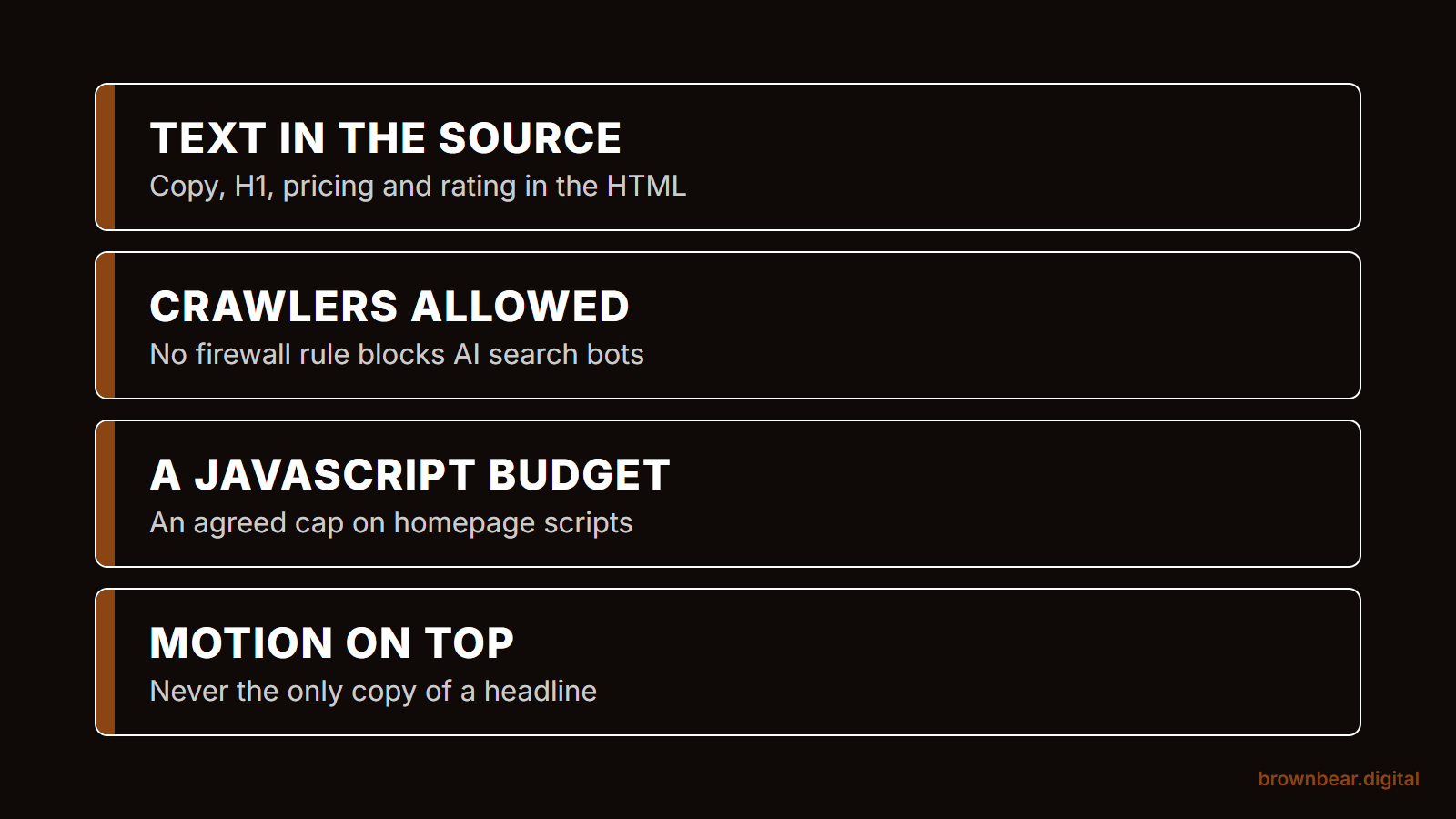
We call it the Raw HTML Clause. It is a short set of acceptance tests you add to the agreement, so that launch is not approved until the site passes them:
- Text in the source. Every page's H1, body copy, procedure details, pricing ranges and at least the aggregate rating appear in the server-delivered HTML, verified by viewing the page source with JavaScript disabled.
- Crawlers allowed. No firewall, CDN, host or plugin setting blocks OAI-SearchBot, ChatGPT-User, ClaudeBot's search and user agents, or PerplexityBot, confirmed in writing at launch.
- A JavaScript budget. The homepage loads under an agreed JavaScript total, and any animation library must justify its weight.
- Motion on top, never instead. Headlines and key claims are live text layered over video, sliders and animation, never baked into them.
Picture a surgeon reviewing two proposals for a new site. One leads with a 3D hero and cinematic page transitions; the other leads with procedure pages and photography. Both look stunning in the mockups. The surgeon adds the Raw HTML Clause to both, and one agency pushes back on the JavaScript budget and the text-in-source requirement. That pushback is the most useful thing the proposal process produced, because it shows which build would have been invisible.
The Raw HTML Clause
Redesign Clause Builder
Tick what the redesign proposal includes. You get a risk note for each feature and acceptance language to add to the contract.
What the proposal includes
Risk notes for this proposal
Ask the agency to confirm each test in writing before launch. A good agency agrees without changing the design.
For information only, and results are not a guarantee of AI visibility. This is not legal advice: have your attorney review any contract language before you use it. Everything you type stays in your browser and is never sent anywhere.
A good agency will agree to all four without hesitation, because none of them limits how beautiful the site can be. Motion, video and photography all survive the clause. What does not survive is a site that only works for human eyes.
Build a Plastic Surgery Website AI Can Read With Brown Bear
Patients increasingly meet your practice through an AI answer before they ever see your homepage, and that answer can only be as good as what your site hands the machines. Brown Bear rebuilds and repairs practice sites so the words, reviews and procedure details reach every crawler, while keeping the design patients expect from a premium practice. If you want to know what AI systems see on your site today, start with our plastic surgery website design built for AI search.
Written By
Founder, Brown Bear Digital
Bryan has 15 years of experience across SEO, paid search, and AI search strategy. He founded Brown Bear to give businesses direct access to senior-level search expertise without the agency overhead.
Learn More About BryanGet Found on Google.
Get Cited by AI.
Tell us about your site. We'll send back a proposal for SEO and AI search.